B2B buying has changed; spreadsheets and sales representatives now expect to research products, compare options, request quotes, place orders, and check delivery information online.
That does not mean the B2B sales representative is disappearing. It means buyers want more control over routine parts of the purchasing process while still having access to knowledgeable support when a decision becomes complicated.
According to McKinsey’s 2026 Global B2B Pulse research, buyers use an average of ten channels during the purchasing journey. The research also found that 71% of B2B companies offer ecommerce and that, among those businesses, roughly one-third of revenue flows through digital channels. ty is significant, but simply launching an online catalogue is not enough. A successful B2B ecommerce strategy must account for complex pricing, multiple decision-makers, bulk orders, approval workflows, product data, account permissions, payment terms, and repeat purchasing.
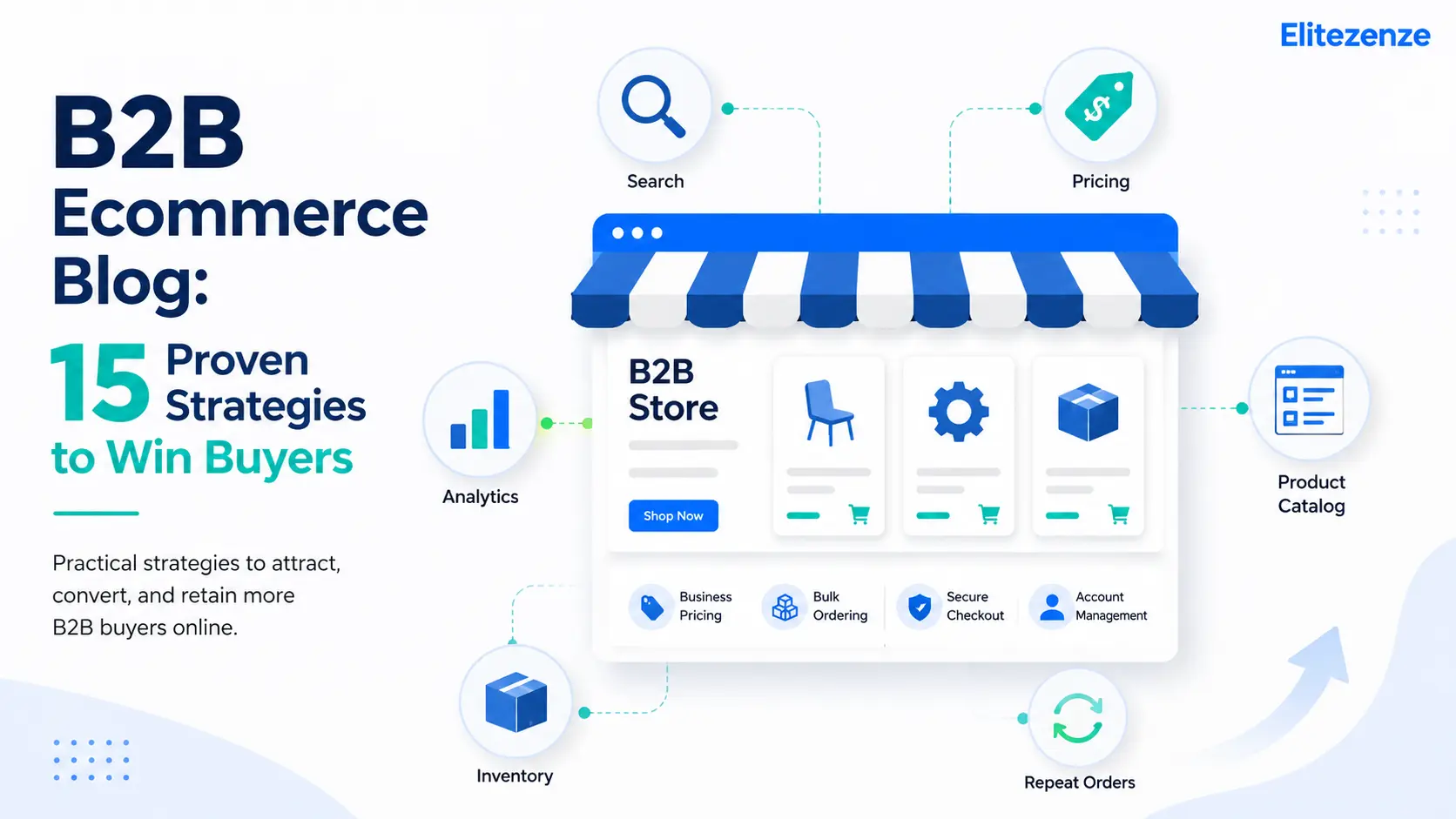
This B2B ecommerce blog explains 15 practical strategies for making that experience easier. The goal is not to add every new technology to your website. It is to remove the obstacles that prevent qualified buyers from finding the right product, trusting your business, and completing an order.

What Is B2B Ecommerce, and Why Does It Matter?
B2B ecommerce is the online sale of products or services from one business to another. It may involve a manufacturer selling to a distributor, a wholesaler supplying retailers, a software company selling subscriptions to organisations, or a supplier serving contractors through an online portal.
Adobe defines B2B ecommerce as online transactions between businesses, with the broader aim of improving customer experience and enabling more sales. Its guide to B2B ecommerce also highlights an important difference between consumer and business buying: B2B purchases usually involve longer journeys, larger orders, more stakeholders, and more support requirements. erce vs. B2C ecommerce
Both models require a usable website, clear information, secure payments, and reliable customer support. However, B2B transactions are usually more complicated.
A consumer may choose a product, enter payment information, and complete the purchase within minutes. A business buyer may need to:
- Sign in to view negotiated prices.
- Compare detailed technical specifications.
- Request a custom quote.
- Obtain approval from a manager.
- Submit a purchase order.
- Select company-specific payment terms.
- Coordinate delivery across several locations.
- Reorder the same products regularly.
For this reason, copying a standard retail storefront rarely produces a strong B2B buyer experience. The website must support the way business customers actually research, evaluate, approve, and purchase products.
Why B2B ecommerce is no longer optional
Business customers increasingly expect digital convenience. They want accurate product information, transparent inventory, quick access to order history, and the ability to buy outside normal office hours.
A digital channel also benefits the seller. Routine orders can move online, allowing sales and service teams to spend more time on complicated accounts, negotiations, and customer relationships.
The strongest B2B ecommerce operations do not force customers to choose between digital and human support. They connect the two. Buyers can complete straightforward purchases independently and involve a representative when they need advice.
What Buyers Want From a B2B Ecommerce Website
A buyer does not visit a B2B website because it uses fashionable technology. The buyer visits because there is a job to complete.
That job might be identifying a compatible replacement part, comparing suppliers, checking stock, downloading a technical document, preparing a quote, or repeating a previous order.
Across these situations, buyers generally want five things.
Accurate information
Prices, specifications, inventory, delivery dates, and product documents must be consistent. Conflicting information makes the buyer question whether the order will be handled correctly.
Efficient product discovery
A catalogue containing thousands of similar products is only valuable when buyers can quickly narrow the selection. Useful search tools, filters, category pages, and compatibility information reduce unnecessary effort.
Account-specific experiences
Business customers may have negotiated prices, approved products, payment terms, tax rules, delivery locations, and purchasing permissions. The website should recognise those differences after the customer signs in.
Convenient self-service
Buyers want to check invoices, track orders, download documents, create lists, submit quotes, and reorder common products without waiting for a response.
Reliable support
Self-service should not become a barrier. Buyers must still be able to reach someone who understands the products and the account when an order is unusual or technically complex.

15 Proven B2B Ecommerce Strategies to Win Buyers
1. Map the Complete B2B Buyer Journey
Begin by documenting how customers currently move from initial research to repeat purchasing.
Do not assume the journey starts on your homepage. A buyer may first discover your business through Google, a marketplace, an industry directory, a product comparison, an email, or a recommendation from a colleague.
Map the major stages:
- Discovery
- Research
- Evaluation
- Internal approval
- Purchase
- Fulfilment
- Support
- Reordering
At each stage, identify what the buyer needs, which questions arise, and what could prevent progress.
For example, a product page may attract search traffic but fail to provide a downloadable specification sheet. A quote may be easy to request but difficult to approve. A customer may complete the first order successfully but have no quick way to repeat it.
Prioritise the problems that affect the greatest number of customers or create the highest commercial risk.
2. Build the Website Around Self-Service
Self-service does not mean removing personal service. It means giving buyers control over predictable tasks.
A practical B2B account area may include:
- Order history
- Invoice downloads
- Order tracking
- Saved products
- Frequently purchased items
- Quick-order forms
- Quote requests
- Account balances
- Returns information
- User and permission management
These capabilities are especially useful for repeat buyers who already know what they need. Making them contact a representative for every invoice or reorder adds unnecessary delay for the customer and manual work for your team.
Keep support visible throughout the experience. Add contact options where buyers commonly hesitate, such as complicated product pages, quote forms, and checkout.
3. Choose a Platform That Fits B2B Complexity
The best B2B ecommerce platform is not automatically the platform with the longest feature list. It is the one that handles your essential workflows without creating excessive customisation, maintenance, or integration work.
Create a requirements document before comparing vendors. Separate requirements into three groups:
- Essential for launch
- Important after launch
- Optional enhancements
Evaluate whether each platform can support your pricing model, catalogue size, customer accounts, permissions, payments, integrations, markets, and content requirements.
Also examine the total operating burden. A platform that appears inexpensive may become costly when every B2B function requires another application, connector, or custom development project.
Sana Commerce recommends defining objectives, preparing product data, documenting user journeys, involving stakeholders, and separating essential features from optional additions before implementation. Ecommerce With ERP, CRM, and PIM Systems
Disconnected systems create duplicated work and inconsistent information.
The ecommerce platform may need to exchange data with:
- ERP: prices, inventory, orders, invoices, fulfilment, and account terms
- CRM: contacts, opportunities, communications, and customer activity
- PIM: product titles, descriptions, specifications, documents, media, and attributes
- Marketing automation: customer segments, campaigns, and engagement data
- Customer service software: tickets, returns, and account issues
The purpose of integration is not simply technical convenience. It is to prevent the customer from seeing one price online and receiving another from the sales team. It also helps reduce situations where the website shows stock that is no longer available.
Define which system owns each type of information. Without clear data ownership, errors can move quickly between connected platforms.
5. Provide Customer-Specific Pricing and Catalogues
Generic pricing rarely reflects the reality of B2B sales.
Different customers may receive prices based on contracts, territories, volumes, membership levels, negotiated discounts, or distributor relationships. Some accounts may also be permitted to purchase only approved products.
After login, the website should display the correct:
- Contract price
- Volume discount
- Product assortment
- Tax treatment
- Payment terms
- Shipping options
- Available locations
Do not hide all useful information from new visitors, however. Prospective buyers still need enough content to evaluate your products and understand your value.
Where public prices are unavailable, explain the process clearly. “Sign in for your contract price” or “Request an account-specific quote” is more helpful than leaving the buyer uncertain.
6. Improve Product Discovery
B2B catalogues often contain products that differ by only one dimension, material, certification, voltage, fitting, or compatibility requirement. A basic keyword search may not be enough.
Use product attributes to create meaningful filters. Depending on the industry, buyers might need to filter by:
- Size
- Material
- Brand
- Application
- Compatibility
- Certification
- Availability
- Price range
- Technical measurement
- Delivery location
Search should also recognise product codes, abbreviations, common misspellings, and alternative terminology.
Review internal search reports regularly. Searches producing no results often reveal missing synonyms, incomplete product data, or demand for items that customers expect you to stock.
7. Create More Useful Product Pages
A product page should help the buyer make a confident decision without searching across several websites or contacting support for basic information.
Include the information relevant to the product, such as:
- Clear product name
- High-quality images
- Technical specifications
- Dimensions
- Compatibility details
- Certifications
- Current availability
- Estimated delivery
- Minimum order quantity
- Volume pricing
- Installation documents
- Safety sheets
- Warranty information
- Related accessories
- Replacement products
Use concise summaries for fast scanning, followed by detailed information for technical evaluation.
Where appropriate, add structured data to help search engines understand product information such as availability, pricing, shipping, and reviews. Google explains that product structured data can make product information eligible for richer presentations in Search, Images, and Lens, although eligibility does not guarantee that a rich result will appear. Mobile Research and Ordering Easier
A B2B buyer may research a product from a warehouse floor, construction site, vehicle, trade show, or customer location. The mobile experience therefore affects more than convenience.
Test whether users can:
- Search the catalog
- Read specifications
- Compare products
- View account pricing
- Upload or enter product codes
- Request a quote
- Complete checkout
- Track an order
Avoid layouts that require constant zooming or horizontal scrolling. Keep buttons large enough to use comfortably and reduce unnecessary form fields.
For businesses with frequent replenishment needs, consider features such as barcode scanning, saved lists, and quick reordering. Current B2B ecommerce research identifies mobile product research, order tracking, and repeat purchasing as important parts of the digital buying experience. lize the Account Experience
Useful personalisation begins with business context, not superficial greetings.
A returning customer may benefit from:
- Previously ordered items
- Products relevant to the customer’s industry
- Account-specific promotions
- Preferred delivery locations
- Replacement reminders
- Compatible accessories
- Saved product lists
- Recommendations based on purchasing patterns
Personalisation should simplify a real task. Showing unrelated recommendations merely because an item is popular can distract the buyer and reduce trust.
Use customer data carefully and explain how it supports the experience. Buyers should also be able to manage communication preferences and account details.
10. Simplify Checkout, Quotes, and Approvals
B2B checkout must accommodate organisational purchasing rules without becoming difficult to use.
Useful capabilities may include:
- Purchase orders
- Credit accounts
- Bank transfers
- Cards and digital payments
- Tax-exempt purchasing
- Multiple shipping addresses
- Quote-to-order conversion
- Approval limits
- Role-based permissions
- Saved carts
- Recurring orders
Ask only for information required to process the transaction. When extra details are necessary, explain why.
Show the buyer what will happen after submission. For example, state whether an order is confirmed immediately, reviewed by an account manager, or subject to credit approval.
Clear expectations reduce uncertainty and prevent avoidable support enquiries.
11. Use SEO to Attract High-Intent Buyers
B2B ecommerce SEO should connect commercial pages with the language customers use when searching.
Begin with keywords tied to actual buying tasks:
- Product categories
- Product applications
- Problems the product solves
- Technical specifications
- Industry terminology
- Comparisons
- Replacement parts
- Supplier and distributor searches
Build focused category pages rather than forcing every keyword into one broad page. Add helpful introductory copy, product filters, buying considerations, and links to relevant guides.
Technical SEO also matters. Maintain logical URLs, internal links, canonical tags, crawlable navigation, accurate sitemaps, useful title tags, and fast page performance.
Google’s people-first content guidance recommends creating substantial information for an intended audience rather than publishing content primarily to manipulate rankings. It also states that Google does not have a preferred word count. page should be as detailed as the buyer’s decision requires—no longer and no shorter.
12. Use Content to Answer Buying Questions
A B2B ecommerce blog should support the purchase journey instead of publishing disconnected articles for traffic alone.
Create content around questions customers repeatedly ask:
- How do I choose the right product?
- Which specifications matter?
- Is this product compatible with my equipment?
- What is the difference between two models?
- How should this product be installed or maintained?
- What regulations apply?
- How much should I order?
- What is the expected delivery process?
Useful formats include buying guides, comparison pages, technical explainers, checklists, calculators, videos, and case studies.
Link each article to the most relevant category, product, quote, or contact page. The next step should be helpful and logical, not a forced sales pitch.
Add your own analysis wherever possible. Original photographs, test results, customer questions, implementation lessons, and expert commentary provide more value than rewriting information already available elsewhere.
13. Build a Consistent Omnichannel Experience
B2B buyers may interact with your company through the website, email, sales representatives, marketplaces, mobile tools, social media, customer service, and physical locations.
The experience does not have to look identical everywhere, but the essential information must remain consistent.
A customer should not receive conflicting prices, product details, inventory figures, or order information depending on the channel used.
McKinsey’s 2026 Global B2B Pulse report found that omnichannel is now an assumed part of B2B buying. It also identified inconsistent information and inadequate knowledgeable support as important reasons customers switch suppliers. Representatives as part of the digital strategy. Give them visibility into customer activity so they can provide relevant assistance rather than asking buyers to repeat information.
14. Apply AI and Automation to Specific Problems
AI can support product discovery, customer service, forecasting, recommendations, fraud detection, content operations, and quote preparation. However, adding an AI tool without clean data or a defined use case is unlikely to solve a business problem.
Start with a narrow question:
- Can AI improve searches that currently return no results?
- Can it recommend compatible accessories?
- Can it summarise technical documents?
- Can it help support teams find accurate answers?
- Can it identify unusual order activity?
- Can it assist representatives with quote preparation?
Keep people responsible for decisions involving contracts, safety, sensitive customer data, and unusual orders.
Current B2B ecommerce guidance emphasises that AI performance depends on connected systems, structured product data, and reliable workflows. AI should improve the buying process rather than create another layer of uncertainty. e Performance and Improve Continuously
A B2B ecommerce launch is the beginning of an operating process, not the end of a project.
Select a small group of metrics tied to business objectives. Useful measures include:
- Ecommerce revenue
- Conversion rate
- Quote-to-order rate
- Average order value
- Repeat-order rate
- Account activation rate
- Self-service adoption
- Product-search success
- Checkout abandonment
- Organic search traffic
- Support requests per order
- Cost per order
- Order-processing time
- Data-error rate
Segment the results by customer type, device, product category, and new versus returning accounts. An overall conversion rate can hide a serious problem affecting one valuable customer group.
Combine analytics with direct feedback. Ask customers which tasks are difficult and review support enquiries, internal search terms, abandoned quotes, and failed payments.
Common B2B Ecommerce Mistakes That Push Buyers Away
Focusing on the business instead of the buyer
A website organised entirely around internal departments may not match how customers search. Build navigation and content around buyer tasks, product applications, and common questions.
Launching with weak product data
Incomplete descriptions, inconsistent attributes, missing documents, and poor images make product discovery difficult. Clean and standardise the catalogue before introducing advanced personalisation or AI.
Recreating every offline process online
Some offline workflows exist because of old system limitations rather than genuine customer needs. Use the ecommerce project as an opportunity to simplify unnecessary steps.
Adding too many custom features
Customisation can be necessary, but every custom feature adds cost, testing, maintenance, and upgrade considerations. Confirm that the feature solves an important customer or operational problem.
Ignoring customer onboarding
Existing customers may continue ordering by email or phone because the new process is unfamiliar. Provide account setup support, short demonstrations, ordering guides, and assistance with the first digital order.
Measuring traffic without business outcomes
More visits do not automatically mean better performance. Track whether qualified buyers find products, request quotes, place orders, and return.
Features Every High-Performing B2B Ecommerce Site Needs
The exact requirements vary by industry, but a strong B2B ecommerce website generally needs five connected capabilities.
Reliable product discovery
Buyers need clear categories, effective search, useful filters, complete specifications, and downloadable documents.
Account management
Customers should be able to manage users, locations, permissions, orders, invoices, lists, and account details.
Flexible commercial rules
The platform must support contract prices, volume discounts, quotes, purchase orders, credit terms, and tax requirements where applicable.
Connected data
Inventory, product details, customer terms, order information, and fulfilment updates should move accurately between ecommerce and back-office systems.
Human support
Provide clear paths to product experts, sales representatives, and customer service. The website should reduce unnecessary contact without making help difficult to find.

How to Measure B2B Ecommerce Success
Start with the original business objective.
If the goal was to reduce manual ordering, measure the percentage of eligible orders completed through self-service and the change in processing time.
If the goal was customer retention, monitor repeat ordering, account activity, satisfaction, and the number of customers using digital tools.
If the goal was revenue growth, examine ecommerce revenue, qualified traffic, conversion rate, average order value, new account acquisition, and expansion within existing accounts.
Use four measurement categories:
Visibility
- Organic impressions
- Relevant keyword rankings
- Qualified website visits
- Product and category page traffic
Buying activity
- Product searches
- Quote requests
- Add-to-cart rate
- Checkout completion
- Quote-to-order conversion
Customer value
- Repeat-order rate
- Purchase frequency
- Average order value
- Account retention
- Customer lifetime value
Operational efficiency
- Cost per order
- Processing time
- Manual corrections
- Support contacts
- Data errors
Do not optimise a metric in isolation. For example, reducing support requests is only positive when customers are successfully completing tasks. A decline caused by buyers giving up would indicate a worse experience.
Final Thoughts
Winning B2B buyers does not depend on one feature, platform, or marketing tactic.
It requires a connected system that helps buyers find reliable information, understand their options, receive the correct price, obtain approval, complete the purchase, and reorder without unnecessary effort.
Start with the biggest source of customer friction. Improve that part of the journey, measure the result, and then move to the next priority.
A useful B2B ecommerce blog can attract the right audience, but content alone will not create growth. The advice must connect to accurate product information, an effective buying experience, knowledgeable support, and a clear next step.
Businesses that consistently make purchasing easier will be better positioned to earn trust, retain accounts, and grow digital revenue.
Frequently Asked Questions About B2B Ecommerce
What is a B2B ecommerce blog?
A B2B ecommerce blog publishes educational content for businesses that sell products or services to other organisations online. Topics commonly include ecommerce strategy, platforms, integrations, product data, customer experience, SEO, payments, logistics, and digital sales.
The most useful blogs answer real buyer or operator questions rather than publishing broad trend summaries without practical guidance.
How is B2B ecommerce different from B2C ecommerce?
B2B ecommerce usually involves larger orders, longer relationships, negotiated prices, purchase approvals, multiple users, detailed product requirements, and account-specific payment terms.
B2C ecommerce usually serves individual consumers through simpler pricing and checkout processes. Both models benefit from good usability, but B2B websites must support greater account and transaction complexity. The main benefits of B2B ecommerce?
Potential benefits include 24-hour ordering, wider market reach, lower manual order processing, improved account service, more accurate information, faster repeat purchasing, and better visibility into buyer behaviour.
Results depend on implementation quality, customer adoption, product data, system integration, and the suitability of the platform.
What features should a B2B ecommerce platform have?
Important features may include account-specific pricing, customer catalogues, quotes, purchase orders, bulk ordering, user permissions, approval workflows, self-service accounts, ERP integration, product information management, mobile usability, analytics, and multiple payment methods.
Create a requirements list based on customer workflows before comparing platforms.
Why is ERP integration important?
ERP integration can help synchronise prices, inventory, customer terms, orders, invoices, and fulfilment information.
Without reliable integration, employees may need to update multiple systems manually, increasing the risk of delays and inconsistent information. The appropriate integration model depends on the existing technology, data quality, budget, and operational requirements. Does SEO help a B2B ecommerce business?
SEO helps potential buyers discover product categories, solutions, technical information, comparisons, and educational resources through search engines.
Effective B2B ecommerce SEO combines useful content with crawlable site architecture, relevant internal links, accurate metadata, structured product information, and technically sound pages. It should support the buyer’s task rather than repeat keywords unnaturally.
What are the most important B2B ecommerce trends?
Current priorities include self-service, personalisation, connected product data, mobile usability, omnichannel selling, composable technology, AI-assisted product discovery, automation, and dynamic pricing.
Not every business needs to adopt every trend. Prioritise the changes that solve a verified customer or operational problem. business improve the online B2B buyer experience?
Start by observing where buyers struggle. Common opportunities include improving search, adding missing specifications, simplifying account registration, showing accurate inventory, reducing checkout fields, enabling quick reordering, and making support easier to reach.
Test changes with real customers rather than relying only on internal opinions.
Which B2B ecommerce KPIs should be tracked?
Useful KPIs include ecommerce revenue, conversion rate, quote-to-order rate, average order value, repeat-order rate, customer activation, search success, checkout abandonment, support requests, cost per order, and processing time.
Choose metrics that reflect the original business objectives.
How long does it take to see results?
There is no universal timeline. Technical improvements may affect customer behaviour quickly, while SEO, customer adoption, platform migration, and account onboarding often require longer periods.
Establish a baseline before making changes. Then assess leading indicators—such as account activation and product-search success—alongside longer-term outcomes such as revenue, retention, and operational savings.