A good article can contain accurate information and still feel difficult to use. The problem is often not the writing itself. It is the order in which the information appears.
That is why blog post structure for SEO should start with the reader’s task, not with a predetermined number of headings, links, or words.
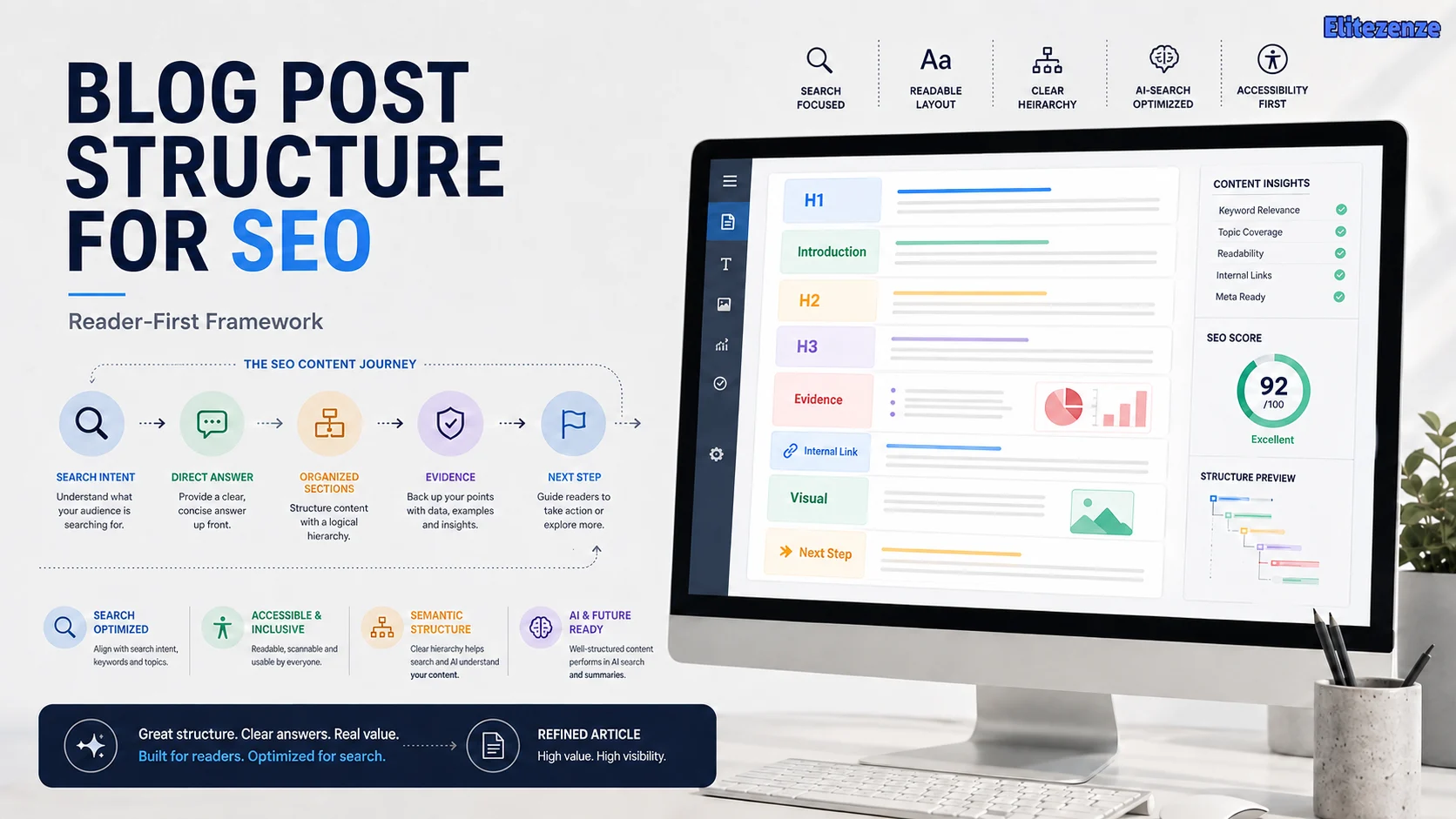
A strong structure tells someone where they are, answers the main question quickly, breaks the topic into logical sections, provides evidence or examples where needed, and gives the reader an obvious next step.
Google’s own guidance also emphasizes helpful, reliable, people-first content rather than a universal article formula.
Below is a reusable structure you can start with, plus the situations where you should change it.
What Does Blog Post Structure for SEO Actually Mean?
Blog post structure is the information hierarchy and order that connects a reader’s question to the information needed to solve it.
It includes headings, but headings are only one component.
A useful structure answers four questions:
- What is this page about?
- Where is the answer I need?
- How are the supporting ideas related?
- What should I do after I understand them?
From an SEO perspective, clear organization also helps make the subject and relationships between sections easier to interpret. From a usability perspective, it lets someone scan the article instead of reading every sentence just to locate one answer.
Headings also have an accessibility role. W3C guidance recommends using headings to communicate the organization of content and nesting heading levels logically.
So instead of thinking, “I need seven H2 headings for SEO,” think:
“What are the seven—or three, or twelve—distinct questions this reader needs answered?”
That produces a much better outline.
A Reusable Reader-First SEO Blog Post Template
Start with this framework:
| Article element | Its job |
|---|---|
| Search intent | Define what the reader is trying to accomplish |
| SEO title | Describe the page clearly enough to earn the right click |
| H1 | State the page’s main promise |
| Introduction | Confirm relevance and answer or frame the problem quickly |
| H2 sections | Answer the major questions required to satisfy the intent |
| H3 sections | Explain subordinate points within an H2 |
| Evidence/examples | Support claims and make abstract advice usable |
| Internal links | Help readers continue into genuinely relevant topics |
| External sources | Support factual or consequential claims |
| Visuals | Clarify information that is easier to understand visually |
| Conclusion | Give the most important takeaway and next action |
| Metadata/schema | Help search systems understand and present the page appropriately |
You will notice there is no mandatory “FAQ,” “eight H2s,” or “2,000 words” in that list.
Those are choices, not foundations.

How to Build the Structure Step by Step
1. Define One Search Intent and One Reader Job
Before writing an H1, write this sentence:
After reading this page, the reader should be able to ________.
For this article, the answer is:
After reading this page, the reader should be able to turn a topic or keyword into a logical SEO-friendly blog outline.
That sentence acts as a filter.
Suppose you discover an interesting statistic about blogging frequency while researching this topic. It may be true. It may even be useful somewhere else. But unless it helps the reader structure a blog post, it probably does not belong here.
This is one of the easiest ways to avoid content bloat.
Search intent should also influence the order of information. Someone searching “what is topical authority?” generally needs a definition early. Someone searching “how to create a content brief” needs requirements and steps. Someone comparing two tools needs decision criteria before a verdict becomes useful.
The structure follows the job.
2. Turn the Promise Into a Clear H1 and Title
Your title and H1 should make the page’s subject obvious without turning into a bag of keyword variations.
For example:
Weak:
SEO Blog Post Structure SEO Guide for Blog SEO Article Structure
Better:
Blog Post Structure for SEO: A Reader-First Template You Can Reuse
Google recommends descriptive, concise title text and warns against keyword stuffing. Importantly, Google does not specify a fixed title-element length. Titles may be truncated based on device width, so brevity is useful, but “60 characters” is not a universal ranking law.
Read Google’s title-link guidance
For most editorial articles, keeping one clear primary H1 is a sensible practice because it makes the page’s main topic unambiguous and keeps the hierarchy easy to follow.
Then use H2s for major sections and H3s only when an idea genuinely belongs underneath an H2.

3. Make the Introduction Answer-First
An SEO article introduction usually does not need a long warm-up.
A useful introduction should quickly do three things:
- confirm that the article matches the searcher’s problem;
- provide the short answer or central idea;
- explain what the reader will be able to do after continuing.
For a question such as “how many H2 headings should a blog post have?”, the first sentence could simply say:
There is no fixed number of H2 headings a blog post needs; use one for each major question or topic the article must cover.
Now the reader has the answer.
The rest of the section can explain how to decide what qualifies as a major topic.
This answer-first approach is particularly useful when headings themselves reflect questions because it makes important information easy to locate without forcing the reader through several paragraphs of setup.
4. Build H2s Around Major Reader Questions
An H2 should represent a meaningful change in the reader’s question.
Imagine you were planning an article called “How to Start a Newsletter.”
A logical sequence might be:
- What do you need before starting?
- Which newsletter platform should you choose?
- How should you define the audience?
- What should your first newsletter include?
- How do you get your first subscribers?
- What should you measure after publishing?
Those headings form a journey.
A less useful version might be:
- Newsletter Tips
- Best Newsletter Tips
- Newsletter SEO Tips
- More Newsletter Advice
Those headings may contain related keywords, but they do not give the reader a usable information architecture.
Use an H3 when the new subject is a subcomponent of the current H2, not simply because a section is getting long.
For example:
H2: Which newsletter platform should you choose?
- H3: Hosted newsletter platforms
- H3: Self-hosted options
- H3: What features to compare
The hierarchy now describes relationships between ideas.
W3C similarly recommends logical heading nesting because headings communicate how sections of content relate to one another.
5. Give Every Major Section a Job
A heading alone does not make a section useful.
A simple test is:
Answer → Explain → Evidence/Example → Action
You do not need all four components in every section, but the framework prevents empty SEO prose.
Answer
State the central point early.
Explain
Tell the reader why the answer is correct or how it works.
Evidence or example
Support important factual claims with a reliable source, or make practical guidance clearer with a realistic example.
Action
When appropriate, tell the reader what to do with the information.
For example:
Heading: How many internal links should a blog post contain?
Answer: There is no universal ideal number.
Explain: The useful number depends on how many genuinely relevant destinations can help the reader.
Evidence: Google explicitly says there is no “magical ideal number” of links a page should contain.
Action: Review each section and add a contextual internal link only when the destination helps answer the reader’s next likely question.
That section now accomplishes something.

6. Add Links and Visuals Where They Improve the Journey
Internal linking should not become a quota.
Google recommends making links crawlable and using anchor text that helps people and Google understand the destination. Its documentation also explicitly rejects the idea of a magical ideal number of links.
See Google’s link best practices
Ask two questions before adding an internal link:
- Does the destination genuinely help this reader?
- Is this a natural point in the article for them to need it?
The same principle applies to external links. Cite a primary source when a factual claim matters; do not add outbound links simply because an SEO checklist tells you that every post needs two.
Images should also teach.
A photograph of a laptop beside a cup of coffee adds little to an article about heading hierarchy. A diagram showing H1 → H2 → H3 relationships can explain the concept faster than another 200 words.
Use descriptive alt text when the image conveys meaningful information, and avoid stuffing keywords into it.
7. End With a Next Step, Then Optimize the Publishing Elements
The conclusion should not repeat the entire article.
Instead, answer:
What is the one thing this reader should do now?
For this article, that action is to write the reader job first and then test every proposed H2 against it.
After the article itself works, optimize the supporting publishing elements:
- title element;
- meta description;
- URL slug;
- relevant structured data;
- author information;
- dates where appropriate;
- featured image;
- social metadata.
Google primarily creates search-result snippets from page content and sometimes uses the meta description. It also specifies no fixed maximum meta-description length, although snippets are truncated as needed.
That means a meta description should be concise because clarity matters—not because 155 characters is a ranking requirement.
SEO Structure “Rules” That Are Actually Context-Dependent
Many SEO recommendations are useful defaults. Problems begin when defaults are presented as universal requirements.
| Popular rule | Better approach |
|---|---|
| “Every title must be under 60 characters.” | Write a concise, descriptive title; Google has no fixed title limit. |
| “Every meta description must be 155 characters.” | Write an accurate, compelling summary; Google has no fixed maximum. |
| “Every post needs 6–10 H2s.” | Use one H2 for each major reader question. |
| “Add three internal links per 1,000 words.” | Link whenever another page genuinely advances the reader’s task. |
| “Use an image every 500 words.” | Add a visual when it explains something better than text alone. |
| “Every article needs an FAQ.” | Add FAQs only for meaningful questions not already resolved cleanly. |
| “Match the word count of top-ranking pages.” | Cover the topic to the depth required by the searcher’s task. |
Google’s own link guidance specifically says there is no ideal link count, while its title and snippet documentation avoids the hard character limits commonly presented as SEO laws.
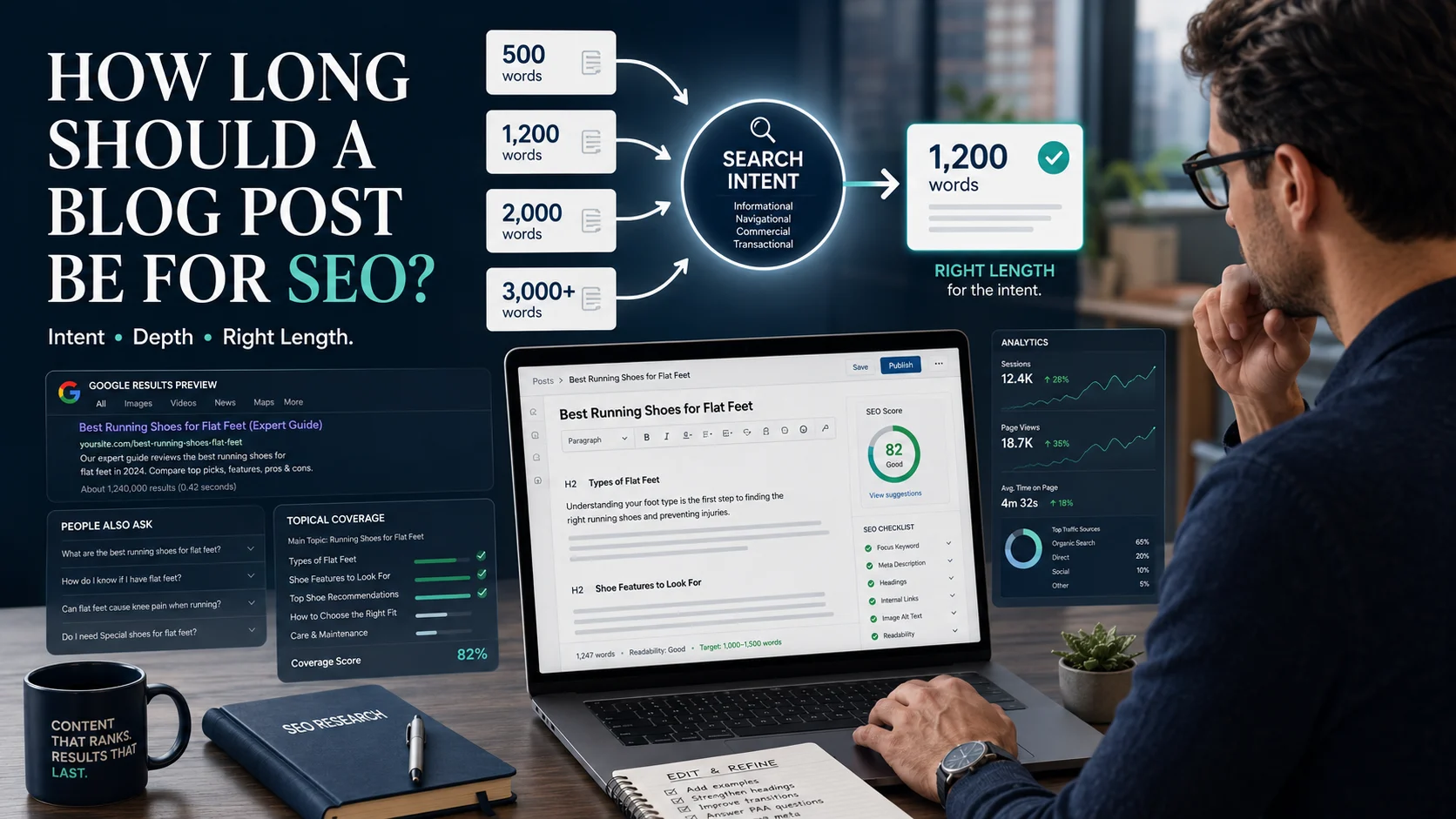
Word count deserves the same treatment. Length is a planning outcome, not a substitute for usefulness. Elitezenze already has a deeper guide on how long a blog post should be for SEO if you want to decide how much depth a particular topic needs.
FAQ content can be valuable, but its structured-data benefit is frequently overstated. Google now limits regular FAQ rich-result visibility largely to authoritative government and health websites.

How Blog Structure Changes by Search Intent
A reusable framework should adapt, not force every topic into the same visible template.
| Article type | Useful structure |
|---|---|
| Definition/explainer | Direct definition → why it matters → how it works → examples → related questions |
| How-to | Result → prerequisites → steps → examples → troubleshooting → next step |
| Comparison | Quick verdict → decision criteria → side-by-side comparison → scenarios → trade-offs → recommendation |
| List post | Selection criteria → grouped options → explanation of each → comparison → how to choose |
| Decision guide | Short recommendation → criteria → possible choices → scenarios → risks/trade-offs → decision process |
| Pillar guide | Quick orientation → major subtopics → deeper explanations → related resources → next learning path |
The same principle applies to AI search.
You do not need to create an artificial “AI-optimized” paragraph every 300 words. Google says there are no additional requirements or special schema for appearing in AI Overviews or AI Mode beyond established SEO fundamentals.
Read Google’s guidance on AI features and your website
Clear sections, useful answers, original information, strong evidence, accessible text, relevant images, and technically accessible pages remain the better foundation.
Common Blog Structure Mistakes
Starting with keywords instead of intent
Related keywords can help you discover subtopics. They should not determine the architecture by themselves.
Creating several headings that answer the same question
If H2s are interchangeable, consolidate them.
Burying the answer
If someone searched a direct question, do not make them read five introductory paragraphs before answering it.
Using H3s that do not belong under their H2
Hierarchy should communicate relationships, not simply reduce font size.
Treating every recommendation as a universal rule
Separate Google’s documented guidance from your own editorial preferences.
Adding FAQs for length
If the article already answered a question thoroughly, repeating it in an FAQ adds little information.
Linking to satisfy a quota
Every link competes for the reader’s attention. Give it a reason to exist.
Pre-Publish SEO Structure Checklist
Before publishing, check:
- Can I describe the reader’s job in one sentence?
- Does the H1 clearly state what the page delivers?
- Does the introduction confirm relevance quickly?
- Is the main answer easy to find?
- Does every H2 represent a distinct reader need?
- Does every H3 genuinely belong to its H2?
- Are unsupported or unnecessary sections removed?
- Are important factual claims supported by appropriate sources?
- Do examples clarify difficult ideas?
- Are internal links useful rather than quota-driven?
- Do visuals teach rather than decorate?
- Is there a clear next step?
- Are the title, description and URL accurate?
- Does the page remain understandable without thinking about keywords?
If several boxes fail, change the outline before polishing sentences.

Conclusion
The best blog post structure for SEO is not an eight-step formula that every page must obey. It is a logical route from search intent → answer → explanation → evidence → action.
Start your next outline by writing one sentence:
“After reading this article, the reader should be able to…”
Then keep only the headings that help deliver that result.
If the structure works for the reader first, your SEO decisions become much easier to justify.
FAQ
What is the best blog post structure for SEO?
The best general structure is a clear H1, answer-first introduction, H2s organized around major reader questions, H3s for subordinate topics, useful evidence/examples, relevant links and visuals, and a concise conclusion with a next step. Adapt that framework to the search intent rather than applying the exact same layout to every post.
How many H2 headings should a blog post have?
There is no fixed number. Use one H2 for each major topic or question required to satisfy the reader’s intent. A narrow article might need three; a comprehensive guide might legitimately need ten.
Should a blog post have only one H1?
Using one clear primary H1 is a sensible editorial and information-hierarchy practice because it makes the page’s main subject obvious. Do not treat it as a magic ranking factor; the important point is that the document hierarchy remains clear and logical.
Should the primary keyword appear in every heading?
No. Put relevant terminology where it describes the section naturally. Repeating the exact keyword in every H2 can make headings awkward and less informative.
How many internal links should a blog post contain?
There is no universal ideal number. Google explicitly says there is no magical link count. Add internal links when another page genuinely helps the reader continue or understand the current topic better.
Do FAQs help SEO?
They can help readers and make concise answers easier to locate, but an FAQ section is not mandatory. FAQ rich-result visibility in Google is now largely limited to authoritative government and health sites, so most publishers should not add an FAQ merely to chase a rich result.
Does clear blog structure help with AI Overviews?
Clear, useful and well-organized content is a strong general practice, but Google says there is no special schema or separate technical optimization required for AI Overviews or AI Mode. Focus on original value, understandable text, sound SEO fundamentals and crawlable content.
Should every blog post use the same SEO template?
No. Reuse the underlying principles, but change the visible structure according to intent. A tutorial needs steps; a comparison needs criteria; a definition page needs a fast definition; and a decision guide needs recommendations and trade-offs.