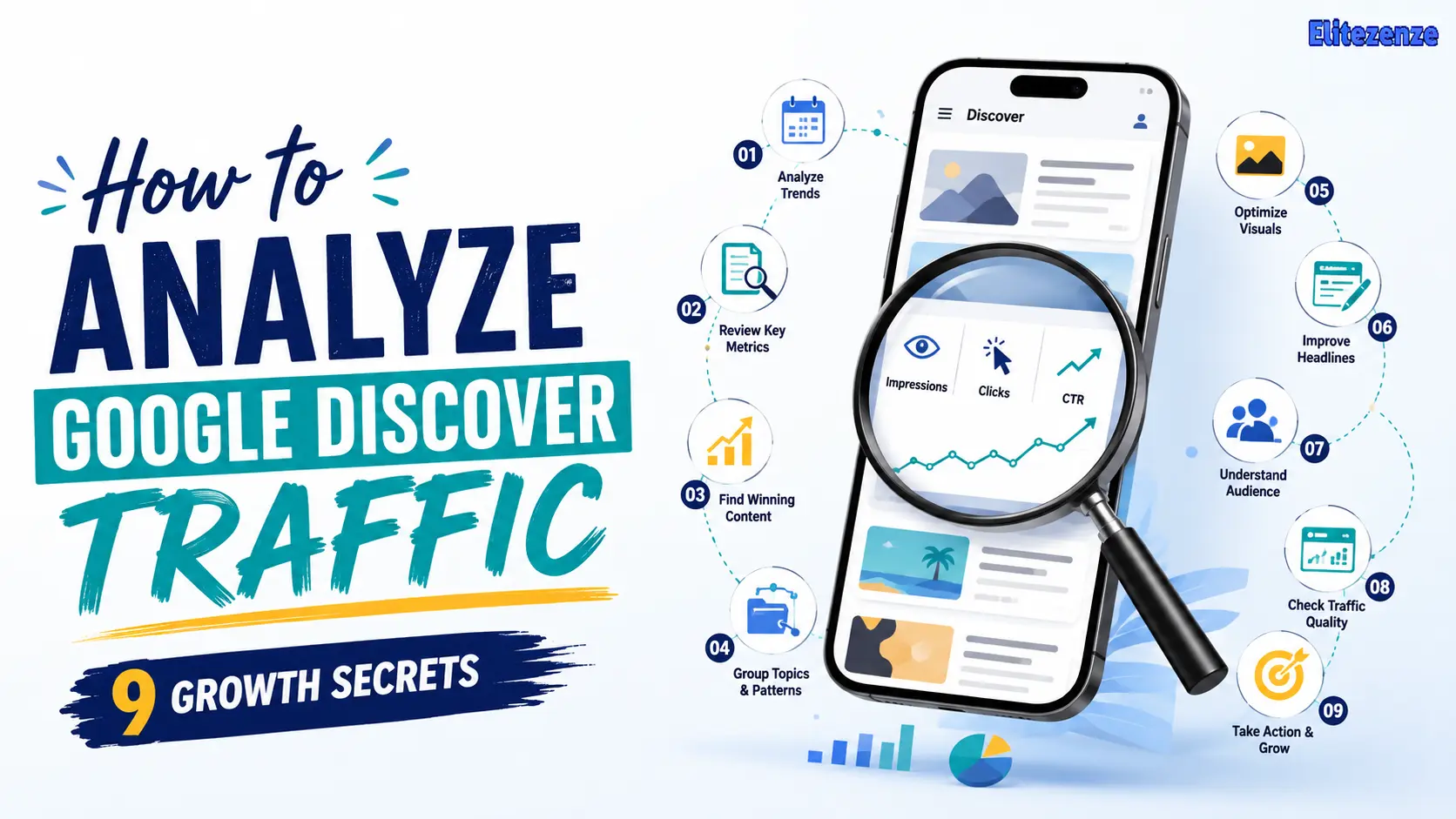
That is what makes Discover different from traditional Google Search. Search responds to a query. Discover recommends content based on a person’s interests and activity, creating an opportunity for publishers to reach relevant audiences earlier in their journey.
I have seen strong Discover traffic growth on my own website. My evidence comes from analytics trend observations rather than a controlled test or a single dramatic spike. Over time, the upward pattern became clear enough to show that Discover could become a meaningful traffic source.
However, Discover traffic is not guaranteed. A page can be indexed, technically eligible, and still receive no Discover impressions. Google also warns that Discover traffic is less predictable than keyword-driven Search and may fluctuate as audience interests, available content, and Google’s systems change. “Proven secrets” means practices supported by Google’s published guidance and practical publishing experience. It does not mean a hidden ranking formula or a guarantee that every article will appear.
You will learn how to improve your content, images, headlines, topical authority, mobile experience, and performance tracking without relying on clickbait or keyword stuffing.
What Is Google Discover?
Google Discover is a personalized content feed that shows people articles and other content connected to their interests. It is part of Google Search, but users do not need to enter a query before seeing recommendations.
Discover may surface:
- Timely news and industry updates
- Evergreen educational articles
- Content related to hobbies and recurring interests
- Videos and visual stories
- Articles from publishers or creators a person follows
- Older pages that remain useful and relevant
A page is automatically eligible for Discover when Google has indexed it, and it complies with Discover’s content policies. You do not need a special Discover tag or a dedicated structured-data type.
Eligibility is only the starting point. Google clearly states that being eligible does not guarantee that a page will appear. u cannot submit an article directly to Discover and request a position. Your role is to make the content easy to crawl, valuable to a defined audience, visually compelling, trustworthy, and satisfying to use on a mobile device.
Google Search vs. Google Discover
Google Search and Discover both aim to connect people with useful content, but they begin from different signals.
In Search, the user expresses an immediate need by entering a query such as “how to optimize for Google Discover.” Your page competes to provide a relevant answer to that request.
In Discover, Google tries to anticipate what a user may want to read based on interests, activity, followed sources, and other personalization signals. The person may not have planned to read about your subject until the article appeared.
That difference changes your content strategy.
Search optimization often starts with a keyword. Discover optimization should start with an audience.
Keywords still help you organize and explain a topic, but they should not control every sentence. Before publishing, ask:
- Does this subject fit my audience’s established interests?
- Is the article useful even without search traffic?
- Does it offer original information, experience, or analysis?
- Can a mobile user understand its value from the image and headline?
- Does the article fully deliver what its preview promises?
- Does my website publish substantial coverage of this topic?
Those questions move the strategy away from chasing isolated phrases and toward building a publication that readers recognize and trust.
How Does Google Discover Work?
Google does not provide a fixed checklist of Google Discover ranking factors. Its automated systems match eligible content with individual interests while also evaluating broader signals related to relevance, quality, trust, and page experience. These factors shape this process.
Personal interests and activity
Discover is highly personalized. Two people in the same location can see different feeds because their interests and activity differ.
Your article does not need to appeal to every internet user. It needs to be especially relevant to a particular group.
A focused guide for WordPress bloggers, for example, may have more Discover potential with that audience than a broad article attempting to address every type of website owner.
Originality and usefulness
Google’s people-first content guidance encourages publishers to provide original information, reporting, research, analysis, or firsthand expertise. It also asks whether a page offers substantial value beyond the other results already available. Many of the ten competing articles may be accurate, but it gives Google and readers little reason to prefer your version.
Useful differentiation can come from:
- Firsthand results
- Original screenshots
- A practical workflow
- A downloadable template
- A distinctive expert opinion
- Clear examples
- New data
- A better explanation of a difficult concept
- Honest discussion of what did not work
Timeliness and continuing relevance
Discover can show both recent and older content. Google says older pages may appear when they remain helpful and relevant to an individual’s interests. Need both timely articles and durable evergreen resources.
Topical expertise
In February 2026, Google released a broad Discover core update designed to show more locally relevant content, reduce sensationalism, and surface more in-depth, original, timely content from websites with expertise in a particular area.
Google also explained that expertise may be understood topic by topic. A website can demonstrate depth within one section even when it covers several broader categories. esentation
Discover is a visual environment. The image is often the first element a user notices, making it part of the editorial promise rather than a decorative afterthought.
Mobile page experience
A strong preview cannot compensate for a slow, cluttered, or frustrating article. The page should load reliably, display well on mobile, avoid excessive interruptions, and make the main content easy to identify. 1: The 9 Proven Google Discover Secrets

Secret #1: Create People-First Content Around Real Interests
The first step in Google Discover optimization is understanding what your audience repeatedly wants to read.
Do not begin by collecting hundreds of loosely related keywords. Start by identifying the problems, goals, questions, and trends that matter to your readers.
For a blogging website, recurring interest areas might include:
- Starting and setting up a blog
- Search engine optimization
- Content planning
- Website traffic
- Email marketing
- Affiliate marketing
- WordPress tutorials
- Blogging tools
- Content monetization
Each area can support beginner guides, troubleshooting articles, advanced strategies, comparisons, case studies, timely updates, and opinion-led analysis.
Write for the audience you intend to serve
Google recommends having an existing or intended audience that would find your content useful even if they visited your site directly. It also encourages publishers to maintain a clear primary purpose or focus. This means you can cover only one narrow subject forever. Each major section of your site should have a recognizable purpose.
A reader should be able to visit several articles and understand what your publication helps people accomplish.
Add information competitors cannot easily reproduce
To make your content more useful, include elements based on your own work:
- What you tried
- Why you tried it
- What changed
- What remained unchanged
- Screenshots or exports
- Unexpected observations
- Mistakes and limitations
- The process you would use again
For this article, your analytics experience creates an opportunity to add genuine value.
A transparent version could say:
On my site, Discover traffic showed a clear upward trend in analytics. I did not treat one high-traffic day as proof. I looked for a broader pattern across multiple reporting periods before describing it as growth.
Before publishing, improve that paragraph by adding the platform, approximate date range, and an anonymized screenshot.
Avoid writing for an arbitrary word count.
A 3,500-word article is not automatically more helpful than a concise guide. Length is useful only when it allows you to answer the reader’s questions more completely.
Google specifically warns against writing to a preferred word count because someone claims that Google rewards a particular length. Reject thoroughly, but remove sections that repeat the same advice in different words.
Secret #2: Balance Timely Topics With Evergreen Content
Discover is commonly associated with trends and news, but publishers should not depend entirely on short-lived stories.
The most stable strategy combines timely coverage with evergreen resources that remain useful after the initial publication date.
Publish timely content when it fits your expertise
Timely opportunities may include:
- A major Google update
- A new feature in an important tool
- An industry change
- A recurring seasonal problem
- Newly released research
- A change in user behavior
- A relevant event in your niche
The subject should make sense for your audience. Publishing unrelated trends simply because they are popular can weaken your editorial focus.
The February 2026 Discover core update is worth discussing here because it directly affects publishers interested in Discover visibility. The same update would be less relevant on a website with no connection to publishing, marketing, or Search. Vergreen content meaningfully
Changing the date at the top of an article is not a meaningful update.
A useful refresh may include:
- Rechecking factual statements
- Removing outdated recommendations
- Replacing old screenshots
- Adding a recently introduced feature
- Improving weak examples
- Answering new reader questions
- Revising the title and image
- Adding original data or observations
- Fixing broken external links
Readers should receive a better article after the update.
Where practical, include a short editorial note such as:
Updated August 2026 to reflect the latest Discover image guidance and Search Console reporting options.
Only use an updated date when you have made a substantial change.
Choose consistency over volume.
There is no universal publishing frequency for Discover.
A sustainable monthly schedule could include:
- Two detailed evergreen guides
- One timely industry article
- One first-person case study
- One major refresh of an older page
A smaller number of well-developed articles is usually more useful than a high volume of rushed content.
Google also notes that Discover traffic may fluctuate for reasons unrelated to publishing frequency or content quality. Use Large, Relevant Images That Earn Attention
Images play a central role in Discover because the feed is designed for fast visual scanning.
The strongest image should help the reader understand the subject before reading the entire headline.
Follow Google’s current image specifications
Google recommends Discover images that are:
- At least 1,200 pixels wide
- More than 300,000 total pixels
- Suitable for a 16:9 landscape presentation
- Enabled for large previews with
max-image-preview:largeor AMP
Google also recommends using og:image metadata or appropriate schema markup to identify a relevant representative image. See the complete requirements in Google’s official Discover documentation.
A common robots directive is:
<meta name="robots" content="max-image-preview:large">This permits Google to use a large image preview. It does not guarantee that Google will select your preferred image or display the page in Discover.
Make one subject immediately clear.r
A strong featured image generally has:
- One dominant focal point
- A clean or controlled background
- Strong separation between elements
- Minimal text
- A clear connection to the article
- Enough space for safe cropping
- A composition that remains understandable on mobile
For this article, a smartphone displaying a generic discovery-style feed could work well when surrounded by simple optimization symbols such as an image icon, checkmark, lightbulb, and analytics chart.
Avoid a generic laptop photograph that could represent almost any marketing article.
Keep the image honest.
Do not create a thumbnail that suggests evidence or results the article does not contain.
Avoid:
- Invented Search Console screenshots
- Fake traffic graphs
- Misleading platform interfaces
- Unrelated celebrities
- False warning messages
- Exaggerated before-and-after visuals
- Financial success symbols
- Text claiming guaranteed growth
Discover policies prohibit preview content that promises details not reflected in the underlying page. Without harming quality
Compress the image enough to improve loading, but not so aggressively that it becomes blurry.
Use descriptive filenames and concise alt text.
Good:
alt="Nine-step Google Discover optimization roadmap"Unhelpful:
alt="Google Discover Google Discover SEO optimize Google Discover trafficAlt text should explain the image for users who cannot see it. It is not a place to repeat every target keyword.
Secret #4: Write Click-Worthy Headlines Without Misleading Readers
A Discover headline must communicate value quickly. It should create interest while remaining accurate.
The goal is not maximum curiosity at any cost. The goal is qualified curiosity: the right reader understands the benefit and expects the article to deliver it.
Make the promise specific.
Compare these examples:
Weak:
This Google Trick Changed Everything Overnight
Stronger:
9 Google Discover Changes That Improved My Content Strategy
The first headline creates curiosity but provides little context. The second explains the topic and the type of value the reader will receive.
Useful headline structures include:
- Numbered strategies
- Common mistakes
- Step-by-step tutorials
- Before-and-after processes
- Lessons from original data
- Timely updates
- Troubleshooting guides
Examples:
- 9 Google Discover Mistakes Limiting Your Reach
- How to Track Google Discover Traffic in Search Console
- 7 Image Fixes for Better Discover Previews
- Why Google Discover Traffic Drops—and What to Check
- Google Discover SEO: A Practical Publisher Checklist
Use emotion that matches the reader’s situation
Emotion does not require sensational language.
A publisher who has never appeared in Discover may feel frustrated. A clear diagnostic guide can offer relief.
A publisher experiencing a traffic drop may feel concerned. A structured audit can create confidence.
Use those real emotions rather than relying on words such as “shocking,” “instant,” “guaranteed,” or “unbelievable.”
The February 2026 Discover update specifically aims to reduce sensational content and clickbait. Everything the headline promises
Your title contains “9 Proven Secrets,” so the article must include exactly nine distinct, actionable strategies.
It should also explain what “proven” means. In this case, it refers to strategies aligned with official guidance and supported by practical observation—not guaranteed results.
That clarification preserves the title’s energy without misleading the reader.

Secret #5: Strengthen E-E-A-T and Trust Signals
E-E-A-T stands for experience, expertise, authoritativeness, and trustworthiness.
Google explains that E-E-A-T is not one independent ranking factor. Its systems use multiple signals that may align with these qualities, while trust remains especially important. Then, build trust by making it easy for readers to understand who created the article, how it was produced, and why they should rely on it.
Show who wrote the content
Important articles should include:
- A visible author name
- A useful author biography
- Relevant experience
- A publication date
- A genuine updated date
- Reviewer information where appropriate
An author page should do more than display a photo and a one-line description.
Explain the author’s connection to the topic. For example:
Rishu writes about blogging, SEO, and content growth. He uses website analytics and Search Console trends to study how editorial changes affect traffic over time.
Only publish that statement when it accurately reflects your experience.
Explain how the article was created.
Google encourages publishers to consider explaining the “Who, How, and Why” behind their content. Clearly, you could include an editorial note:
This guide combines Google’s official documentation with observations from my own website analytics. My personal result is described as a traffic trend because I have not presented a controlled experiment or claimed that one change caused the growth.
That sentence adds credibility because it clearly separates official guidance from personal observation.
Add publisher transparency
Your website should make the following pages easy to find:
- About
- Contact
- Editorial policy
- Corrections policy
- Privacy policy
- Affiliate disclosure
- Advertising disclosure
- Author profiles
Discover’s transparency policies call for clear dates, bylines, publisher information, company details, and contact information. Citations
For technical claims, link to the original documentation whenever possible.
Do not cite an SEO blog for a requirement when Google publishes the current specification itself.
That does not mean independent experts have no value. They can provide testing, interpretation, and examples. The underlying technical requirement should still be verified against the primary source.
Secret 6: Strengthen Technical SEO and Eligibility
No technical switch guarantees Discover visibility. However, technical problems can prevent an otherwise useful article from becoming eligible or being presented correctly.
Confirm that Google can index the page
Use Search Console’s URL Inspection tool to check:
- Indexing status
- Crawl access
- Selected canonical URL
noindexdirectives- Blocked resources
- Rendering problems
- Mobile output
Because Discover eligibility requires Google indexing, an unindexed URL cannot appear. nonicalization
Discover performance data is assigned to the canonical URL. If duplicate or alternate versions exist, Search Console may credit the canonical rather than the precise URL the visitor opened. ation issues include:
- HTTP and HTTPS versions
wwwand non-wwwversions- URL parameters
- Print versions
- Category-path duplicates
- AMP and canonical mismatches
- Republishing the same article under multiple URLs
Use a consistent canonical strategy and inspect unexpected URLs.
Use structured data accurately
Special structured data is not required for Discover.
Article structured data can still clarify details such as:
- Headline
- Author
- Publication date
- Modified date
- Representative image
- Publisher
Only mark up information that is accurate and visible on the page.
Schema cannot replace thin content, weak authorship, or poor editorial transparency.
Check security and manual actions.
Serve pages over HTTPS and monitor Search Console’s Security and Manual Actions section.
Discover policy violations may produce manual actions. Repeated or serious violations can affect a site’s ability to appear in Discover. Improve Mobile UX and Core Web Vitals
Most of your design decisions should be evaluated on a real phone, not only inside a desktop editor.
A page may look spacious on a large screen but become crowded when advertising, navigation, tables, buttons, and images collapse into a narrow mobile layout.
Make the content easy to consume
Check whether:
- Text is readable without zooming
- Paragraphs are reasonably short
- Headings clearly organize the page
- Buttons have enough spacing
- Images remain inside the viewport
- Tables can be read or scrolled
- Menus do not cover the content
- Popups are easy to close
- Ads do not overwhelm the article
- The main content begins without unnecessary delay
Google’s page-experience guidance recommends good mobile display, HTTPS, limited intrusive interstitials, reasonable advertising, and a design that clearly distinguishes the main content. The Core Web Vitals
The current Core Web Vitals are:
- Largest Contentful Paint: measures loading performance
- Interaction to Next Paint: measures responsiveness
- Cumulative Layout Shift: measures visual stability
Google’s recommended “good” thresholds are:
- LCP of 2.5 seconds or less
- INP of 200 milliseconds or less
- CLS of 0.1 or less
The assessment uses the 75th percentile of page loads, separated across mobile and desktop. From the official Core Web Vitals guide.
Passing these thresholds does not guarantee Discover traffic or high rankings. They are one part of a broader page experience.
Fix problems that affect real visitors.s
Common improvements include:
- Compressing the featured image
- Preloading the likely LCP image
- Reducing unnecessary JavaScript
- Removing unused plugins
- Reserving space for images and advertisements
- Improving server response time
- Delaying nonessential scripts
- Reducing third-party trackers
- Testing on slower mobile connections
Prioritize improvements that make the page noticeably better for users rather than chasing a perfect score for its own sake.
Secret 8: Build Topical Authority
A single article may perform well, but a connected body of useful content gives your website a stronger editorial identity.
Google’s February 2026 update states that Discover aims to surface more in-depth, original, and timely content from websites with expertise in a particular area. It also notes that expertise can be evaluated topic by topic. topic cluster
A Google Discover cluster could include:
Pillar article
- How to Optimize for Google Discover
Supporting articles
- Best Google Discover Image Sizes
- How to Find Discover Traffic in Search Console
- Why Discover Traffic Suddenly Dropped
- Google Discover Content Policies Explained
- How to Improve Discover CTR
- Evergreen vs. Trending Discover Content
- How to Enable Large Image Previews
- Google Discover Headline Examples
Each article should answer a separate question instead of repeating the same introductory advice.
Connect related pages naturally
Add internal links where they help the reader take the next step.
For example:
- Link the image section to a detailed image SEO guide.
- Link the performance section to your Search Console tutorial.
- Link the E-E-A-T section to your editorial standards page.
- Link the content-planning section to your topical-authority guide.
Use descriptive anchor text. Avoid generic phrases such as “click here.”
Build depth for different reader levels.
Within a topic, cover several stages:
- Beginner explanation
- Setup
- Optimization
- Troubleshooting
- Comparison
- Case study
- Checklist
- Current update
- Advanced analysis
This creates a more useful resource library and gives returning readers a reason to remain on your website.
Secret #9: Measure and Refine With Google Search Console
You cannot improve Discover performance by relying only on impressions or assumptions.
Google Search Console provides a dedicated Discover Performance report when a property reaches the minimum impression threshold required for the report to appear. cover Performance report documentation](https://support.google.com/webmasters/answer/9216516) before interpreting the numbers.
Track the available metrics.s
The report includes:
- Clicks
- Impressions
- Average CTR
- Performance by page
- Performance by country
- Performance by date
- Appearance types when available
A Discover impression is counted when the item is scrolled into view. CTR is calculated by dividing clicks by impressions. Trends, not one-day peaks
Compare:
- The latest 28 days with the previous 28 days
- The latest three months with the preceding period
- Individual pages over time
- Topic clusters against one another
- Countries with rising or declining visibility
My own strong traffic-growth observation came from this broader trend approach. I did not treat one successful day as proof of a lasting strategy.
Before publishing a firm case-study claim, add:
- The reporting platform
- The comparison dates
- The starting and ending impressions
- The starting and ending clicks
- The pages responsible for most growth
- A screenshot with private information removed
- A list of major changes made during the period
Without those details, describe the result as an observation rather than a proven causal relationship.
Avoid confusing correlation with causation
Traffic may rise after you update a featured image, but the image might not be the only reason.
Other influences could include:
- Seasonal demand
- A timely event
- Increased interest in the topic
- A Google system update
- New competing content
- Returning audience behavior
- Broader website improvements
Search Console itself advises caution when measuring the effect of page changes because external events and competitor activity can also influence performance. Repeatable optimization loop
Use this workflow:
- Publish useful, original content.
- Confirm that Google indexed the canonical URL.
- Monitor Discover impressions and clicks.
- Identify winning subjects and formats.
- Compare strong and weak images.
- Review CTR without relying on clickbait.
- Improve existing pages where readers will benefit.
- Expand successful topic clusters.
- Record meaningful changes and compare later periods.
This process will not remove Discover’s natural volatility, but it will help you make better editorial decisions.
Why Is My Site Not Showing in Google Discover?
A missing Discover report does not automatically mean your website has a penalty. Search Console displays the report only after a property reaches a minimum number of impressions—common possibilities.
Your pages are not indexed.
Check the affected URL in Search Console. Resolve crawling restrictions, noindex directives, canonical problems, server errors, or quality issues.
Your content adds little original value.
A rewritten version of existing articles may answer the basic question without giving readers a compelling reason to choose your page.
Add original examples, experience, data, screenshots, opinions, or a stronger process.
Your website lacks topic depth.
Publishing isolated articles across unrelated subjects can make it harder to build a recognizable audience and editorial focus.
Develop connected clusters around the areas where you can demonstrate real knowledge.
Your featured images are weak.k
Small, blurry, generic, misleading, or text-heavy images may create poor previews.
Use a high-resolution image with a clear subject and enough room for a landscape crop.
Your headlines overpromise
A sensational headline may attract attention but damage trust when the article cannot support its promise.
Make the title emotionally relevant, specific, and accurate.
Your mobile experience creates friction.
Slow loading, unstable layouts, heavy advertising, and intrusive popups can make the article difficult to consume.
Test the complete page on multiple mobile devices and connections.
Your publisher information is incomplete.e
Add clear dates, bylines, author profiles, publisher details, disclosures, and contact information.
Your traffic is fluctuating naturally.y
Discover is less predictable than keyword-driven Search. Visibility can change even when you have not made an obvious mistake. 3: Why Your Site Is Not Showing in Google Discover

Google Discover Optimization Checklist
Content quality
- Write for a clearly defined audience.
- Add original experience, analysis, or examples.
- Answer the main question completely.
- Remove repeated and generic advice.
- Link factual claims to reliable sources.
- Keep publication and update dates accurate.
- Avoid unnatural keyword repetition.
Headline and featured image
- Make the headline accurate and specific.
- Use emotion without sensationalism.
- Ensure the article contains everything the title promises.
- Use a representative image at least 1,200 pixels wide.
- Prepare the image for landscape cropping.
- Keep important subjects visible on mobile.
- Permit large image previews.
Trust and transparency
- Display a real author byline.
- Link to a detailed author page.
- Explain relevant firsthand experience.
- Make contact and publisher information accessible.
- Disclose sponsorships and affiliate relationships.
- Explain how data or testing was collected.
- Separate observations from proven conclusions.
Technical and mobile checks
- Confirm that the canonical URL is indexed.
- Check robots and
noindexsettings. - Use HTTPS.
- Test the page on a mobile device.
- Monitor Core Web Vitals.
- Reduce intrusive popups.
- Keep ads from overwhelming the main content.
- Compress the featured image.
Measurement
- Review Discover clicks, impressions, and CTR.
- Compare meaningful date ranges.
- Analyze performance by page and country.
- Record major editorial and technical changes.
- Expand topics that repeatedly attract the right audience.
- Avoid concluding one isolated spike.
Frequently Asked Questions
How do I get my content on Google Discover?
Publish indexable, policy-compliant content for a clearly defined audience. Use original information, compelling large images, accurate headlines, transparent authorship, and a strong mobile experience. No special tag can guarantee inclusion. Does Discover require SEO?
Discover does not require a separate technical SEO system, but standard foundations still matter. Google must be able to crawl, index, understand, and trust the page. Discover adds greater emphasis on personalization, audience interests, visual presentation, and recommendation suitability.
What type of content performs best in Google Discover?
Google recommends timely content connected to current interests, strong storytelling, and unique insights. Evergreen pages may also appear when they remain useful and relevant to a person’s interests. What is the recommended Google Discover image size?
Google recommends images that are at least 1,200 pixels wide, contain more than 300,000 total pixels, and work in a 16:9 landscape presentation. Large image previews should also be permitted. Required data for Discover?
No. Special structured data is not required for eligibility. Accurate Article markup can still help Google understand the author, headline, dates, publisher, and representative image. Discover report missing from Search Console?
The report is visible only when your property has reached a minimum number of Discover impressions. Its absence does not automatically indicate a penalty or technical problem. Improve my Google Discover CTR?
Compare pages with deep impressions but low CTR against your stronger performers. Review whether the headline and image communicate a clear, honest benefit. Improve weak previews without exaggerating the underlying content.
Is Google Discover only for news websites?
No. Discover can show content from a wide range of topics, including older evergreen pages that remain relevant to a user’s interests. Should I publish for Google Discover?
There is no ideal universal frequency. Publish as often as you can maintain originality, accuracy, usefulness, and consistent editorial quality.
Can Google Discover traffic be guaranteed?
No. Google states that eligibility does not guarantee appearance. Treat Discover as an additional audience channel rather than your only source of traffic. ghts
Understanding how to optimize for Google Discover begins with accepting that no individual tactic can guarantee visibility.
A large image will not rescue generic content. A fast page will not compensate for a misleading headline. Publishing every day will not automatically build topical authority.
The strongest Google Discover content strategy brings nine elements together:
- People-first content
- Timely and evergreen publishing
- Large, relevant images
- Compelling but accurate headlines
- E-E-A-T and publisher transparency
- Technical eligibility
- Strong mobile page experience
- Recognizable topical authority
- Careful performance analysis
My own analytics showed strong traffic growth as a broader trend rather than one isolated spike. That result is encouraging, but it should not be presented as proof that one tactic caused the increase.
The more defensible lesson is this: useful content, editorial consistency, strong visuals, mobile usability, and careful analysis can put a website in a better position to earn Discover visibility.
Build a publication that readers would value even without an algorithm. Use data honestly. Create images that explain rather than deceive. Write headlines that attract the right reader and then deliver the promised value.
That approach will not provide an instant shortcut, but it offers a more sustainable path to improving Google Discover visibility.