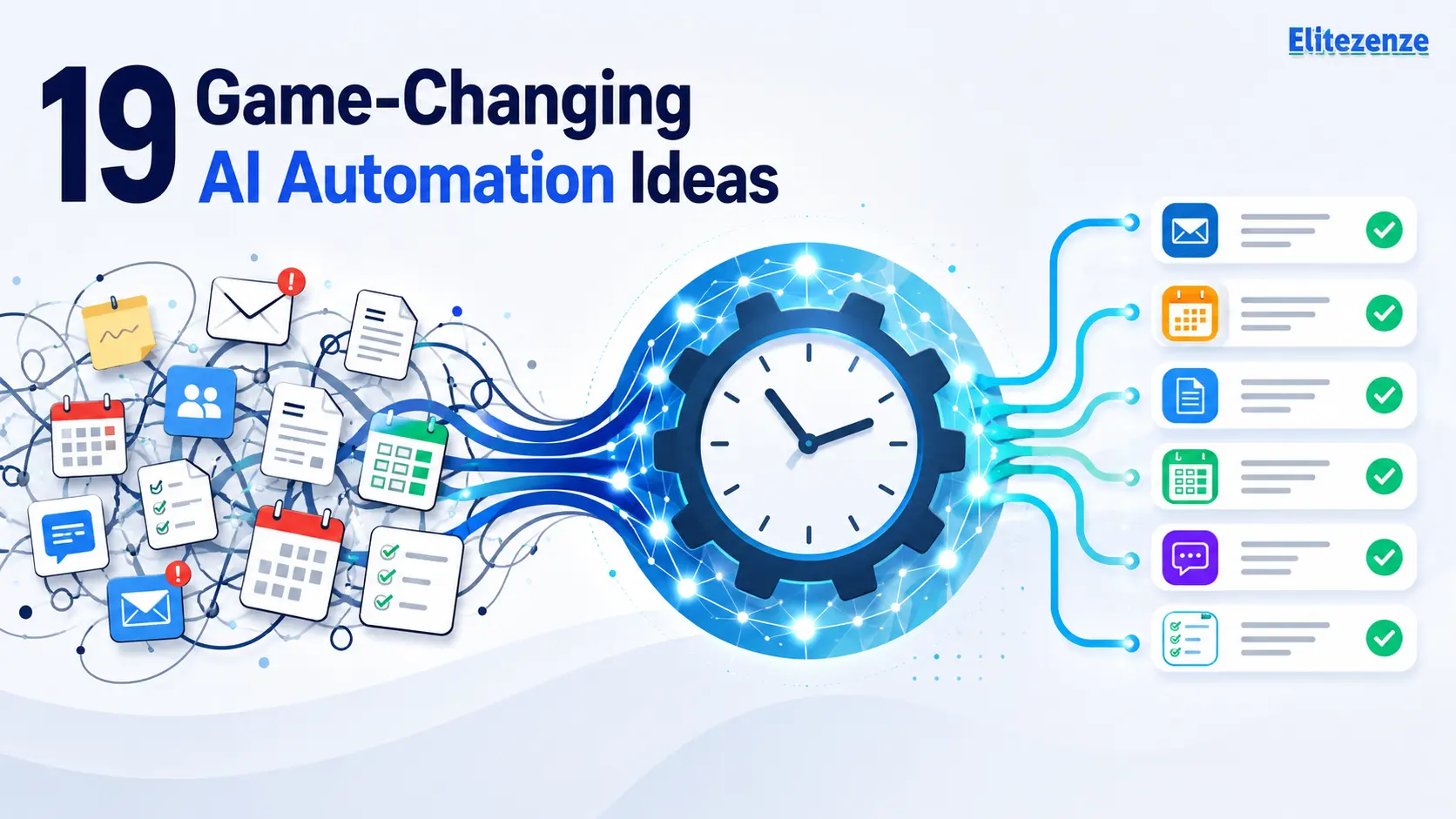
Rewriting similar emails, copying information between tools, updating customer records, and turning meeting notes into tasks can consume a surprising part of the week. Each job may take only a few minutes, but the interruptions add up.
The most useful AI automation ideas do not try to hand an entire role over to software. They remove repetitive steps while keeping people responsible for judgment, quality, and sensitive decisions.
There is evidence that well-designed AI assistance can improve performance in specific settings. In the Generative AI at Work study, researchers followed 5,179 customer-support agents. Access to an AI assistant increased issues resolved per hour by 14% on average, although the benefits varied considerably by experience level. That result should not be treated as a universal benchmark, but it shows why focused workflows are worth testing.
Below are 19 practical examples for administration, marketing, sales, customer support, finance, and operations. Each idea includes the workflow, the point where a person should step in, and a metric you can use to judge whether the automation is actually helping.
Author input to add before publishing: Include two or three sentences about a repetitive task you personally handle. Explain how often it occurs and why it is frustrating. Do not claim a time saving unless you have measured it.
What Are the Best AI Automation Ideas?
The best AI automation ideas focus on work that happens frequently, follows a reasonably consistent process, and can be checked before mistakes cause harm.
Strong starting points include email classification, meeting summaries, content repurposing, lead qualification, sales follow-ups, support-ticket routing, document extraction, invoice processing, CRM updates, and recurring reports.
A useful workflow normally has six parts:
Trigger → Context → AI decision → Automated action → Human review → Measurement
The best first project is rarely the most impressive one. It is usually a narrow, repetitive, measurable task with a low cost of failure.
Quick Comparison of the 19 Ideas
| # | Automation idea | Business area | Difficulty | Human review | Main metric |
|---|---|---|---|---|---|
| 1 | Email triage and reply drafts | Administration | Easy | Recommended | Response time |
| 2 | Meeting summaries and tasks | Administration | Easy | Recommended | Note-taking time |
| 3 | Calendar scheduling | Administration | Easy | Recommended | Messages per booking |
| 4 | Message-to-task conversion | Administration | Easy | Recommended | Missed-action rate |
| 5 | Content repurposing | Marketing | Easy | Required | Editing time |
| 6 | SEO research briefs | Marketing | Medium | Required | Brief preparation time |
| 7 | Social content scheduling | Marketing | Easy | Required | Publishing consistency |
| 8 | Review and sentiment analysis | Marketing | Medium | Required | Issue-detection time |
| 9 | Lead capture and enrichment | Sales | Medium | Required | CRM completeness |
| 10 | Lead scoring and routing | Sales | Medium | Required | Qualified-lead rate |
| 11 | Personalized outreach drafts | Sales | Medium | Required | Positive reply rate |
| 12 | Post-call follow-ups | Sales | Easy | Required | Follow-up speed |
| 13 | Competitor monitoring | Strategy | Medium | Recommended | Useful-alert rate |
| 14 | Support-ticket routing | Customer service | Medium | Required | Routing accuracy |
| 15 | Knowledge assistant | Customer service | Advanced | Required | Correct-answer rate |
| 16 | Customer-feedback summaries | Customer service | Medium | Required | Time to identify themes |
| 17 | Document data extraction | Operations | Medium | Required | Field accuracy |
| 18 | Invoice and expense processing | Finance | Advanced | Required | Processing time |
| 19 | Reports and exception alerts | Operations | Medium | Required | Report preparation time |

What Is AI Automation?
AI automation combines a repeatable workflow with an artificial intelligence task.
Traditional automation follows fixed instructions. For example:
When a customer submits a form, add the information to a spreadsheet.
An AI-powered version can interpret less-structured information:
When a customer submits a form, identify the request, summarize the message, estimate its urgency, create a CRM record, and route it to the correct team.
Workflow automation is commonly described as automating a series of repeatable tasks across the software a person or business uses. The AI layer adds functions such as classification, summarization, extraction, drafting, and limited decision-making.
AI Automation vs. Traditional Automation
Traditional automation works best when the input and outcome are predictable:
- Copy a form response into a database.
- Send a reminder two days before an appointment.
- Create an invoice when a deal reaches a specific stage.
- Move a file when its status changes.
AI is useful when part of the process involves interpreting language or unstructured information:
- Decide whether an email is a complaint, sales inquiry, or support request.
- Extract names and totals from an invoice.
- Summarize a long conversation.
- Identify action items in meeting notes.
- Group hundreds of survey comments by theme.
The strongest workflows often combine both approaches. AI interprets the input, while fixed rules control what happens next.
The Anatomy of a Useful AI Workflow
A practical workflow contains:
- Trigger: Something starts the process.
- Context: The system collects the information it needs.
- AI step: A model classifies, extracts, summarizes, or drafts.
- Action: Another application receives the result.
- Human check: A person reviews uncertain or sensitive output.
- Measurement: The team records time, accuracy, cost, or another result.

How to Choose AI Automation Ideas Worth Building
A task is not a good automation candidate simply because it is annoying. It also needs enough volume and consistency to justify the setup and maintenance.
Use the Frequency–Time–Risk Test
Score a possible workflow using five questions:
- How often does the task happen?
- How many minutes does each instance require?
- Are the inputs reasonably consistent?
- How serious would an error be?
- Can you measure whether the result improved?
A task completed twice a year may not be worth automating. A five-minute task completed 60 times each week could be a much better candidate.
Start With Frequent, Low-Risk Work
Good starting points include:
- Sorting incoming messages
- Summarizing long text
- Formatting information
- Extracting named fields
- Categorizing requests
- Drafting routine responses
- Sending reminders
- Updating records
- Creating recurring reports
Avoid beginning with final legal decisions, sensitive hiring decisions, unsupervised financial transactions, or customer commitments that cannot be reversed.
Create a Simple Priority Score
Rate each task from one to five for:
- Frequency
- Time consumed
- Predictability
- Data availability
- Setup difficulty
- Error risk
- Expected benefit
Start with tasks that have high frequency, high time cost, reasonable predictability, and low risk.

AI Automation Ideas for Email and Daily Administration
1. Automate Email Triage and Draft Replies
A crowded inbox creates two jobs: deciding what each message is about and deciding what to do next.
An automated workflow can detect a new email, identify the topic and urgency, summarize long messages, apply a label, and draft a possible reply. Routine inquiries can go into an approval queue, while complaints, contracts, payment questions, and sensitive messages are escalated immediately.
Possible setup:
New email → classify intent → summarize → apply label → draft response → request approval
Do not allow important replies to be sent automatically until you have tested the workflow on a representative sample.
Measure: First-response time, manual handling time, routing accuracy, and the percentage of drafts accepted with minor edits.
2. Convert Meetings Into Summaries and Action Items
A transcript is not the same as a useful meeting record. A good recap should separate decisions, open questions, commitments, owners, and deadlines.
After a meeting ends, an AI tool can summarize the transcript, identify action items, and prepare a structured recap. The workflow can then create tasks in Asana, Trello, ClickUp, or another project system.
Someone who attended the meeting should review the summary before it is distributed. Names, dates, and decisions are easy to misinterpret when the discussion is unclear.
Measure: Time spent preparing notes, missing-owner rate, task completion, and the number of corrections required.
3. Automate Calendar Scheduling and Reminders
Scheduling often involves several messages, especially when participants work in different time zones.
A workflow can read a scheduling request, check permitted calendars, offer available times, and prepare an event. It can also send reminders or reopen the scheduling process after a cancellation.
External meetings should normally require confirmation before the booking becomes final. Add rules for working hours, meeting length, travel time, and minimum notice.
Measure: Messages required per booking, time from request to confirmation, no-show rate, and scheduling conflicts.
4. Turn Messages Into Organized Tasks
Requests are easily lost when they arrive through email, chat, forms, and meeting notes.
AI can identify whether a message contains an action, then extract the likely owner, deadline, priority, and supporting context. A task can be created automatically and linked to the original message.
The workflow should flag uncertain deadlines rather than inventing them. It also needs duplicate detection so that one request does not become several tasks.
Measure: Manual task-entry time, missed-action rate, duplicate-task rate, and the percentage of tasks that need reassignment.
AI Automation Ideas for Marketing and Content
The best AI automation ideas for marketing reduce preparation work without removing editorial judgment. They should help a person research, organize, adapt, or review content—not publish unchecked material at scale.
5. Repurpose One Content Asset Into Several Formats
A useful article, webinar, interview, or podcast often contains enough material for several pieces of content.
An automated workflow can extract the main ideas and prepare separate drafts for:
- An email newsletter
- A LinkedIn post
- Short social captions
- A video script
- A carousel outline
- A sales enablement note
Each output should be adapted for its platform rather than shortened mechanically. An editor still needs to check facts, remove repetition, and make sure the wording sounds like the brand.
Measure: Editing time, number of approved outputs per source asset, and performance by format.
6. Automate SEO Research and Content Brief Creation
AI can help organize search research, but it should not copy competing pages or turn their headings into a lightly rewritten outline.
A responsible process can collect relevant results, identify recurring questions, group related topics, compare content formats, and prepare a first-pass brief. A human editor should then check search intent, remove irrelevant topics, validate sources, and decide where original experience is needed.
Google says generative AI can be useful for research and structure, but publishing many pages without adding value may violate its scaled-content policies. Accuracy, quality, relevance, and useful context remain important.
Measure: Research time, brief revision count, topic coverage, and organic performance after publication.
7. Build a Social Content Review and Scheduling Workflow
A content calendar can trigger the creation of first drafts for different platforms. The system can adjust length, opening line, format, and call to action before sending each draft for approval.
Avoid fully automated publishing until you have strong controls. A technically correct post can still be inappropriate because of timing, tone, breaking news, or missing context.
A safer flow is:
Approved topic → platform-specific draft → editorial review → schedule → performance report
Measure: Publishing consistency, creation time, approval rate, and engagement by content type.
8. Analyze Reviews and Customer Sentiment
Reading every review, survey response, and support comment becomes difficult as volume grows.
AI can group feedback into themes such as pricing, onboarding, delivery, reliability, and service quality. It can also flag sharp changes in negative feedback or identify repeated requests.
Do not treat a sentiment label as a perfect reading of customer emotion. Sarcasm, local expressions, and mixed feedback require manual review. Keep representative source comments attached to each summary so the team can check the interpretation.
Measure: Analysis time, time to detect recurring issues, false-alert rate, and the number of useful themes identified.
AI Automation Ideas for Sales and Lead Generation
9. Capture and Enrich New Leads Automatically
When someone submits a form, a workflow can validate the provided information, check for an existing record, add approved company information, and create a structured CRM entry.
AI can also summarize the prospect’s message and suggest which product, service, or team may be relevant. It should not invent missing information or collect personal data simply because it is available.
Use only permitted data sources and document what is being collected.
Measure: CRM completeness, duplicate-record rate, processing time, and speed to first contact.
10. Score and Route Leads With AI
Lead scoring can help a sales team decide which inquiries need immediate attention.
A model might consider company size, role, stated problem, engagement, location, and other approved signals. It can assign a preliminary score and route the lead to a salesperson, nurturing sequence, or manual review queue.
Do not allow a hidden score to become the final decision. Historical sales data may reflect past assumptions or uneven treatment. Review the criteria and false-positive rate regularly.
Measure: Sales-accepted lead rate, qualified-lead conversion, response time, and scoring errors.
11. Personalize Sales Outreach Without Inventing Details
Personalized outreach is useful only when the personalization is accurate.
A workflow can pull approved account information, summarize relevant context, suggest an opening paragraph, and match the prospect with an appropriate case study or resource. A salesperson should check every message before it is sent.
Avoid invented compliments, unverified company news, or statements that imply the sender reviewed material they never saw. Poor personalization can feel more intrusive than a straightforward message.
Measure: Drafting time, positive-response rate, meeting-booking rate, unsubscribe rate, and complaints.
12. Automate Follow-Ups After Calls and Demos
Important details are often lost between a sales call and the follow-up email.
After a conversation, AI can extract the prospect’s needs, objections, decisions, and next steps. It can prepare a follow-up draft, update selected CRM fields, and create reminders.
The salesperson should verify every commitment before sending the email. This matters when the conversation includes pricing, deadlines, custom work, or product capabilities.
Measure: Follow-up speed, CRM completion, number of corrected fields, next-meeting conversion, and overdue tasks.
13. Monitor Competitors and Market Changes
Manual competitor research often becomes a collection of bookmarks that nobody checks.
A focused monitoring workflow can watch approved public pages, press releases, product documentation, job listings, or pricing pages. AI can summarize meaningful changes and separate routine updates from items that require attention.
Set specific alert conditions. Without them, the workflow may create more noise than insight.
Do not bypass access controls, reproduce protected content, or treat an AI summary as proof that a competitor changed its strategy.
Measure: Useful alerts, false alerts, research time, and time from a public change to internal awareness.
AI Automation Ideas for Customer Service
14. Classify and Route Support Tickets
A support request can be analyzed for topic, language, urgency, sentiment, product area, and account type. The system can then add tags, route the ticket, and prepare a summary for the agent.
Critical cases should never rely on sentiment alone. Create explicit escalation rules for safety issues, threats, billing disputes, account access, legal language, and vulnerable customers.
Review a sample of routed tickets every week. A workflow that appears accurate overall may still fail badly on a small but important category.
Measure: Routing accuracy, reassignment rate, first-response time, and resolution time.
15. Answer Repetitive Questions With a Knowledge Assistant
A knowledge assistant can answer common questions using approved help articles, policies, and product documentation.
The safest design retrieves relevant material first, drafts an answer from that material, and links the response back to its source. When the system cannot find adequate support, it should say so and send the question to a person.
Do not let the assistant rely on general model knowledge for account-specific, contractual, or frequently changing information.
Measure: Correct-answer rate, self-service resolution, escalation rate, unanswered questions, and customer satisfaction.
16. Summarize the Voice of the Customer
Product and service feedback is scattered across tickets, surveys, reviews, interviews, and call notes.
AI can remove duplicates, group comments by theme, estimate frequency, and create a recurring report. Each theme should include representative source examples so a reader can verify that the summary is fair.
This workflow works best as a research assistant, not as a replacement for speaking to customers. Frequency alone does not tell you which problem is most important.
Measure: Analysis time, actionable themes, time to detect problems, and issues resolved after review.
AI Automation Ideas for Operations and Finance
17. Extract Information From Forms and Documents
Document processing can extract named fields from PDFs and images, including invoice numbers, dates, totals, addresses, and table rows. The result can then be written to a spreadsheet, database, or business application.
Microsoft’s AI Builder documentation describes no-code and low-code tools for using AI models in Power Automate. Its document-processing actions can return extracted values and confidence scores, which can be used to send uncertain results for review.
Useful documents include:
- Purchase orders
- Supplier forms
- Applications
- Delivery notes
- Receipts
- Standardized reports
Measure: Field-level accuracy, processing time, exceptions, and manual corrections.
18. Automate Invoice and Expense Processing
An invoice workflow can receive an attachment, extract supplier and payment information, check for possible duplicates, match the invoice to available records, and route it for approval.
AI may help read and classify the document, but calculations and payment controls should use validated data and fixed rules. A person should approve exceptions, new suppliers, mismatched totals, and unusual payment details.
Never allow an uncertain AI extraction to initiate an irreversible payment.
Measure: Processing time per invoice, duplicate detection, exception rate, correction rate, and approval-cycle time.
19. Generate Operational Reports and Exception Alerts
Recurring reports often involve collecting numbers, comparing periods, writing a summary, and emailing the result.
An automated workflow can pull validated data, calculate changes with deterministic formulas, identify values outside defined thresholds, and use AI to prepare a plain-language explanation.
The model should not calculate from incomplete text or fill missing values with plausible numbers. Link the narrative back to the underlying data so readers can verify it.
Measure: Report preparation time, corrected summaries, alert precision, investigation time, and decisions supported.
Best AI Automation Tools by Workflow Type
There is no single best AI automation tool for every business. The right choice depends on the applications you already use, your data, the complexity of the workflow, and the consequences of an error.
| Need | Tool category | Examples | What to check |
|---|---|---|---|
| Connect applications | Workflow platform | Zapier, Make, n8n, Activepieces, Power Automate | Integrations, error logs, limits |
| Summarize or classify text | Language model | ChatGPT, Claude, Gemini | Privacy, accuracy, structured output |
| Record meetings | Transcription tool | Otter, Fathom | Consent, language support, exports |
| Update customer records | CRM automation | HubSpot, Salesforce | Permissions, field mapping, duplicates |
| Process documents | OCR and document AI | AI Builder and specialist platforms | Supported formats, confidence scores |
| Search internal knowledge | Knowledge assistant | Workspace-specific tools | Source grounding, access controls |
Before selecting a tool, check:
- Does it connect to your current applications?
- Can you review failed runs?
- Can permissions be restricted?
- Where is data stored?
- Is sensitive data used to train models?
- Can you export your workflows?
- How are usage costs calculated?
- What happens when the AI step fails?
Features, integrations, limits, and prices change frequently. Verify current information on the provider’s official website before publishing a comparison or making a purchase.
Author input to add before publishing: Name one platform you have actually used. Explain what was easy, what required manual correction, and who you think it suits. A short honest observation is more useful than a generic “best tools” claim.
How to Build Your First AI Automation Without Coding
Many simple workflows can be created with visual builders. Microsoft, for example, describes AI Builder as a Power Platform capability that can be used without coding or data-science skills. More advanced systems may still require APIs, webhooks, database work, or technical support.
Step 1: Document the Current Process
Write down:
- What starts the work
- What information is received
- What decisions are made
- Which actions follow
- Which exceptions occur
- Who owns the process
- How long it currently takes
Do not automate a process that nobody understands.
Step 2: Choose One Narrow Outcome
“Automate customer support” is too broad.
A better first project is:
Classify website support requests and route billing questions to the billing queue.
A narrow outcome is easier to build, test, and measure.
Step 3: Build the Smallest Useful Workflow
Start with:
- One trigger
- One AI task
- One action
- One review step
Add additional steps after the core process works reliably.
Step 4: Test Normal and Unusual Inputs
Include:
- Missing information
- Duplicate submissions
- Incorrect formats
- Very long messages
- Ambiguous requests
- Multiple languages
- Sensitive information
- Attachments that cannot be read
Testing only clean examples gives a false sense of reliability.
Step 5: Create Fallback Rules
Decide:
- When the workflow must stop
- When a person must approve the result
- Where unsuccessful items are stored
- Who receives an error notification
- How the original input can be recovered
Step 6: Measure Before Expanding
Run a limited pilot. Record:
- Manual time before automation
- Review time after automation
- Error rate
- Edit rate
- Cost per run
- User satisfaction
- Unexpected failures
Expand only when the workflow saves time without creating unacceptable risk.
How to Calculate the Time Saved by AI Automation
Do not estimate success from the number of times an automation runs. Measure the difference between the old process and the new one.
Use this formula:
Monthly time saved = total manual time avoided − review time − maintenance time
Suppose a task occurs 100 times each month:
- Previous manual time: 8 minutes per task
- New review time: 2 minutes per task
- Monthly maintenance: 60 minutes
Calculation:
- Previous work: 100 × 8 = 800 minutes
- Review work: 100 × 2 = 200 minutes
- Maintenance: 60 minutes
- Net saving: 800 − 200 − 60 = 540 minutes
That equals nine hours per month in this hypothetical example.
To estimate financial value:
Estimated value = net hours saved × relevant hourly cost − tool and maintenance costs
Time saved does not always become direct cash savings. It may instead create faster responses, additional capacity, fewer errors, shorter backlogs, or more time for higher-value work.
Author input to add before publishing: Replace the hypothetical calculation with one real task from your business. Measure at least 10 manual examples and 10 automated examples before making a time-saving claim.
Common AI Automation Mistakes
Automating a Broken Process
Automation makes a process faster; it does not necessarily make it better. Remove unnecessary approvals, duplicate data entry, and unclear ownership before building the workflow.
Starting With Too Much
A workflow spanning six departments and 15 applications is difficult to debug. Start with one trigger and one measurable outcome.
Trusting Every AI Output
AI output can be incomplete, incorrect, or overconfident. Add validation rules, source links, confidence thresholds, and human approval where errors matter.
The NIST AI Risk Management Framework provides a voluntary structure for incorporating trustworthiness into the design, use, and evaluation of AI systems. Its core approach emphasizes governing, mapping, measuring, and managing risk rather than assuming a tool is reliable because it worked during a demonstration.
Sending Sensitive Data to Unapproved Tools
Before connecting customer, employee, financial, or confidential business information, review the provider’s terms, retention practices, access controls, and security settings.
Ignoring Exceptions
Every workflow needs somewhere to send uncertain or failed items. An exception queue is not evidence that the automation failed; it is part of a responsible design.
Measuring Activity Instead of Value
The number of automated runs is not a business outcome. Track time, quality, cost, speed, customer experience, and error rates.
Connecting Too Many Tools
Every additional application creates another possible failure point. Prefer a smaller, understandable workflow over a long chain that nobody can troubleshoot.
Frequently Asked Questions About AI Automation Ideas
What is AI automation in simple terms?
AI automation uses artificial intelligence inside a repeatable workflow. The AI may summarize, classify, extract information, or prepare a draft. Fixed rules then determine what happens next. Useful AI automation ideas usually include human review when the decision is sensitive, uncertain, or difficult to reverse.
What are the best AI automation ideas for beginners?
Good beginner projects include email classification, meeting summaries, task creation, content repurposing, form-data extraction, and scheduled reports. These processes are relatively easy to observe and test. Start with a low-risk workflow where a person can review the output before anything important happens.
What repetitive tasks can AI automate?
AI can assist with sorting, summarizing, drafting, extracting information, categorizing requests, routing work, scheduling, updating records, and monitoring defined conditions. It is most useful when the task occurs often, and the expected outcome is clear. Work involving legal, ethical, financial, or emotional judgment needs stronger human oversight.
Can I create AI automations without coding?
Yes, many workflows can be built with visual automation platforms and prebuilt integrations. A simple process may require only a trigger, an AI action, and a destination. More advanced automations involving custom databases, unusual software, complex permissions, or high transaction volumes may require APIs or developer support.
Which AI automation tools are best for small businesses?
Choose by workflow rather than brand. A small business may need a connector platform, an AI model, a CRM, a meeting tool, or document-processing software. Compare integration support, reliability, privacy, error logs, usage limits, and total cost. The best choice is usually the one that fits the systems your team already understands.
How much does AI automation cost?
The cost depends on workflow volume, AI-model usage, premium integrations, storage, hosting, setup work, and ongoing maintenance. A simple low-volume workflow may use existing subscriptions, while a complex process may need specialist tools or development. Test a small workflow before committing to a larger system.
How much time can AI automation save?
There is no reliable universal figure. Savings depend on task frequency, previous manual time, review time, errors, exceptions, and maintenance. Measure the task before and after automation. A workflow that runs frequently can still waste time if people spend too long correcting its output.
Can AI automation replace employees?
AI automation is better understood at the task level than the job-title level. It can remove repetitive steps and help people complete some work faster. Roles that depend on trust, relationships, responsibility, creativity, physical work, or high-stakes judgment still require human involvement. Research also shows that productivity effects can vary substantially between workers and tasks.
Is AI automation safe for confidential business data?
It can be used safely only when the workflow has appropriate controls. Review data retention, encryption, access permissions, logging, vendor terms, and internal policies. Do not enter confidential information into an unapproved system. Limit each workflow to the minimum data required for the task.
How do I know whether an automation is working?
Track net time saved, error rate, human-edit rate, completion speed, cost per run, user satisfaction, and the final business result. Compare these measurements with the original manual process. Pause or redesign a workflow when it creates more corrections, complaints, delays, or uncertainty than the work it replaced.
Start With One Repetitive Task
Spend one week noticing where your time goes. Look for a task that occurs often, follows a recognizable pattern, and does not carry serious consequences when a draft needs correction.
Choose one of the simpler AI automation ideas, document the current process, and build the smallest version that could be useful. Keep a person involved, test difficult inputs, and record the results.
The goal is not to automate everything. It is to remove low-value repetition so people have more attention for decisions, relationships, creative work, and problems that genuinely require judgment.