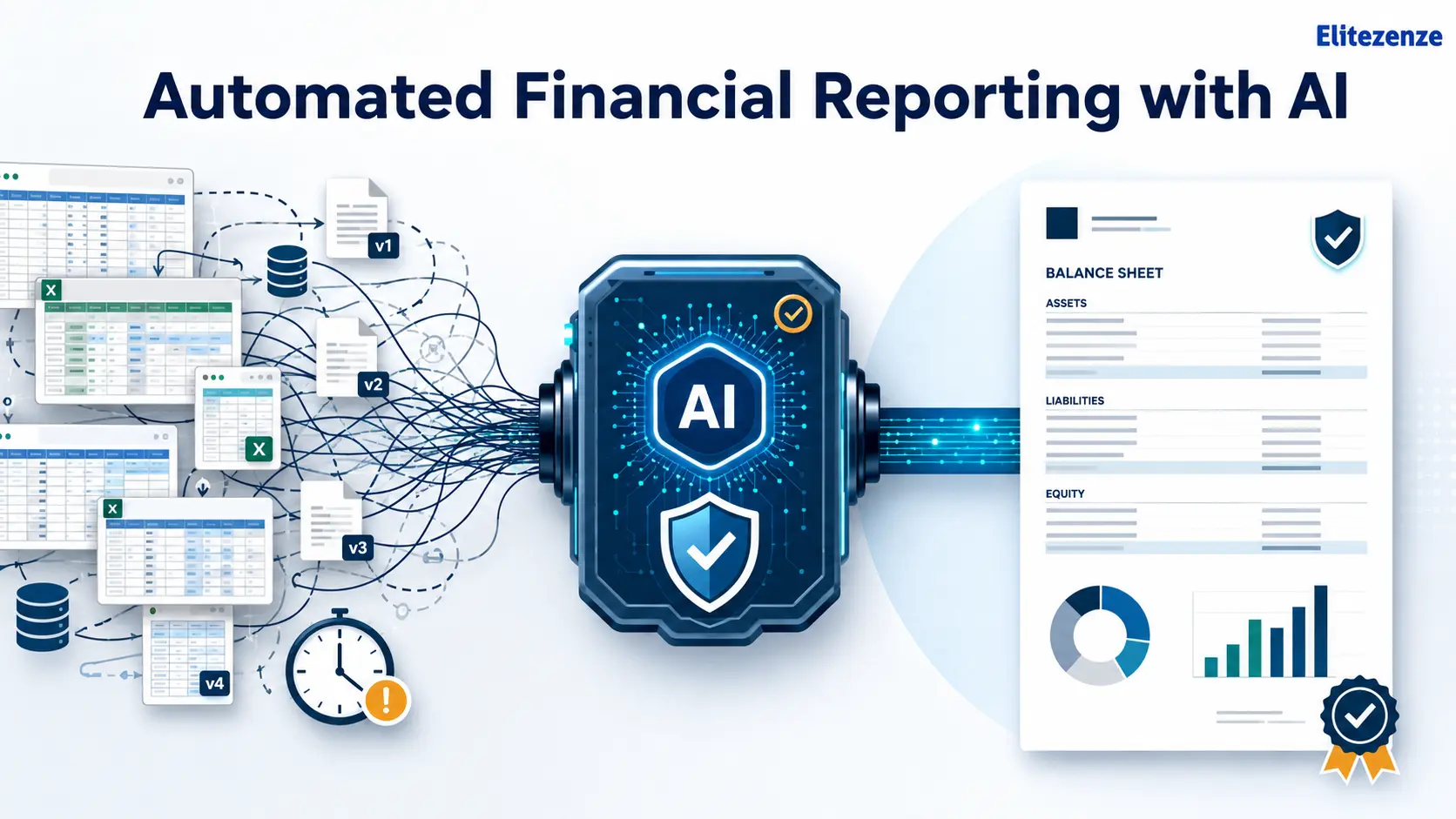
Financial reporting should give business leaders clarity. Too often, however, the process creates the opposite.
Finance teams spend days collecting information from accounting systems, ERP platforms, bank accounts, payroll software, and spreadsheets. They check formulas, correct account mappings, follow up with department heads and prepare several versions of the same report. By the time the final numbers reach management, some of the information may already be outdated.
Automated financial reporting with AI can reduce much of this repetitive work. It can help collect data, match transactions, flag unusual activity, prepare standard reports and draft explanations for material variances.
That does not mean handing financial decisions to a machine. Reliable automation still requires clean data, clear controls, documented approval steps and qualified human review.
This guide explains how to introduce AI-powered reporting in seven manageable steps while protecting accuracy, security and financial accountability.
Key Takeaways
- Start with one recurring, well-defined financial report.
- Fix inconsistent data before adding automation.
- Validate financial figures and AI-written commentary separately.
- Keep humans responsible for material decisions and final approval.
- Measure reporting time, corrections, exceptions and user adoption.
What Is Automated Financial Reporting with AI?
Automated financial reporting with AI is the use of connected financial software, workflow automation, and artificial intelligence to collect, validate, consolidate, analyze, and present financial information with limited manual processing.
A well-designed system can connect with approved data sources, apply accounting rules, identify exceptions, populate reporting templates and send completed reports through an approval workflow.
According to IBM’s financial reporting automation overview, automated reporting systems may connect with accounting software, spreadsheets, enterprise resource planning systems and financial data management tools. The general workflow includes collecting data, validating it, analyzing patterns, generating reports and making the results available for review.
Traditional Automation vs. AI-Powered Reporting
Traditional financial automation usually follows fixed instructions.
For example, a rule-based system might import transactions every evening, assign predefined account codes and place unmatched entries in an exception list. Robotic process automation can move data between applications or repeat structured tasks that employees previously completed manually.
AI adds another layer.
Machine learning can identify patterns, compare current transactions with historical activity, ty and flag unusual entries. Natural language processing can interpret written questions. Generative AI can draft explanations for changes in revenue, expenditure, margins or cash flow.
The distinction matters because generative output is not the same as a verified accounting calculation. A system may calculate a variance correctly but describe its cause incorrectly. That is why financial numbers and written narratives should pass through separate validation steps.
How the Reporting Workflow Works
A controlled AI financial reporting workflow usually follows this path:
Approved source systems → data integration → validation → reconciliation → analysis → report generation → human approval → secure distribution
The strongest systems do not hide these stages. Finance users should be able to trace a reported figure back to its original data source, see which rules were applied,ied and identify who reviewed the final output.
Why Manual Financial Reporting Creates So Much Stress
Manual financial reporting is rarely difficult because of one large task. The stress normally comes from dozens of small, connected tasks that must all be completed correctly and on time.
Financial Data Is Fragmented
A company may store sales in a CRM, invoices in accounting software, payroll in a separate platform, and budgets in spreadsheets. Inventory, procurement and expense data may come from other systems.
The finance team must bring these sources together before it can prepare a complete report. When account names, department codes or reporting periods do not match, employees have to correct the differences manually.
Spreadsheet Versions Become Difficult to Control
Spreadsheets remain useful, but reporting problems begin when different people maintain separate copies.
One person may update a formula while another continues using an older version. A linked worksheet may be moved or renamed. A department may change a number after the finance team has already started consolidation.
Small changes can create hours of checking because the team must determine which version is current and whether the change affects other reports.
Errors Are Often Found Late
Missing transactions, incorrect account mappings, and unreconciled balances may not become visible until the reporting deadline is close.
This leaves the finance team with little time to investigate the cause. Employees then spend their evenings correcting the report instead of reviewing what the numbers mean.
Manual Work Reduces Time for Analysis
A finance professional may spend most of the reporting cycle gathering and formatting information, even though the business needs interpretation.
Management usually wants answers such as:
- Why did gross margin decline?
- Which departments exceeded their budgets?
- What caused the cash flow change?
- Is the variance temporary or part of a wider trend?
- Which issue requires immediate action?
AI cannot make every business judgment, but it can reduce the preparation work that prevents finance teams from answering these questions.

Which Financial Reporting Tasks Can AI Automate?
Not every reporting activity should be automated to the same degree. A practical approach is to automate structured, repetitive tasks while keeping financial professionals responsible for exceptions, interpretation, and approval.
| Reporting activity | What can be automated | Human responsibility |
|---|---|---|
| Data collection | Import data from approved systems | Confirm that all required sources are included |
| Data validation | Check formats, totals and required fields | Investigate failed validation rules |
| Reconciliation | Match transactions and identify differences | Resolve unmatched or unusual entries |
| Consolidation | Combine departmental or entity data | Review mappings and eliminations |
| Variance analysis | Identify significant changes and patterns | Explain the business reason behind the change |
| Report preparation | Populate templates, tables and charts | Confirm figures, presentation and materiality |
| Narrative reporting | Draft summaries and variance commentary | Verify every statement and conclusion |
| Distribution | Schedule secure report delivery | Control recipients and access permissions |
IBM identifies financial statements, management reports, account reconciliation, regulatory reporting and input-data processing among the activities that can be supported by financial reporting automation. It also notes that automated systems can apply consistent reporting rules and maintain audit trails.
Reports That Are Often Suitable for Automation
Depending on the company’s systems and reporting requirements, suitable reports may include:
- Profit and loss statements
- Balance sheets
- Cash flow statements
- Budget-versus-actual reports
- Departmental expense reports
- Revenue and margin reports
- Management dashboards
- Monthly board packs
- Consolidated entity reports
- Recurring regulatory reports
- Accounts receivable and payable summaries
- Financial KPI reports
A report is generally easier to automate when it follows a consistent format, uses dependable data, and has clearly defined calculation rules.
How to Implement Automated Financial Reporting with AI in 7 Steps
Successful automated financial reporting with AI starts with the reporting process, not the technology.
Buying a tool before understanding the existing workflow often creates a faster version of the same underlying problem. The seven steps below provide a more controlled route from manual reporting to reliable automation.

Step 1: Audit Your Current Financial Reporting Process
Begin by documenting how each important report is currently produced.
Do not rely only on the written procedure. Speak with the employees who collect, review, and approve the information. The real process may include informal spreadsheets, email approvals,s or manual corrections that do not appear in the official documentation.
Create a reporting inventory containing:
| Field | What to document |
|---|---|
| Report name | The official name and purpose of the report |
| Frequency | Daily, weekly, monthly, quarterly or annual |
| Owner | Person responsible for preparing the report |
| Recipients | Managers, executives, auditors or regulators |
| Data sources | Systems, spreadsheets and external files |
| Preparation time | Total working hours required |
| Manual steps | Copying, formatting, calculations and follow-ups |
| Frequent errors | Common corrections or reconciliation issues |
| Approval stages | Reviewers and final sign-off authority |
| Reporting deadline | Required completion and distribution date |
| Automation suitability | Low, medium or high |
Watch for duplicated reports. Two departments may prepare similar summaries because neither knows the other report exists. Removing unnecessary reports can save time before any software is introduced.
Also identify steps that exist only because of an old system limitation. There is little value in automating a task that no longer needs to be performed.
Step 2: Choose One High-Value, Low-Risk Use Case
Trying to automate every finance process at once increases cost, complexity, and resistance.
A better starting point is one report that is frequent, structured and valuable to the business.
Possible pilot projects include:
- Monthly management reporting
- Budget-versus-actual analysis
- Department expense reporting
- Cash flow dashboards
- Revenue variance reporting
- Account reconciliation
- Accounts receivable aging reports
Score each use case against several practical factors:
- Frequency: How often is the report prepared?
- Manual effort: How many hours does the current process require?
- Data quality: Are the source records complete and consistent?
- Standardization: Does the report follow repeatable rules?
- Business value: Do decision-makers regularly use it?
- Error risk: How serious would an incorrect result be?
- Regulatory sensitivity: Does the report require formal disclosure or statutory approval?
A monthly internal management report is often a safer pilot than a statutory financial statement. The internal report still creates measurable value, but the team can test the workflow without immediately automating its most sensitive reporting obligation.
Define success before the pilot begins. For example:
- Reduce report preparation time by an agreed target.
- Decrease manual data transfers.
- Improve on-time report delivery.
- Reduce unresolved reconciliation items.
- Lower the number of post-publication corrections.
- Increase usage among approved stakeholders.
These targets should be based on the company’s baseline rather than a vendor’s marketing claim.
Step 3: Standardize and Clean the Financial Data
AI cannot reliably analyze data that employees interpret differently.
Imagine that one system uses “Marketing,” another uses “MKT,” and a third uses department code “204.” A person may recognize that all three refer to the same function. An automated system needs an approved mapping.
Standardize important financial fields, including:
- Chart of accounts
- Company and entity names
- Cost centres
- Department codes
- Customer and vendor records
- Currency conventions
- Reporting periods
- Revenue categories
- Expense categories
- Product names
- Tax codes
- KPI definitions
Next, establish data-quality rules.
The system should check for:
- Missing required fields
- Duplicate transactions
- Invalid dates
- Incorrect account mappings
- Mismatched totals
- Unapproved journal entries
- Inconsistent currencies or units
- Unreconciled balances
- Transactions outside the reporting period
- Changes to master data
Do not treat every failed check as a system error. Some exceptions are legitimate. The purpose of the validation layer is to send unusual items to the right person for review.
Deloitte states that the reliability of an AI model depends heavily on the quality and accuracy of its input data. It recommends data-quality controls, retained records of inputs and outputs, testing, monitoring, and documented model changes.
Step 4: Connect Approved Financial Data Sources
Once the data structure is consistent, connect the reporting workflow to approved systems.
These may include:
- ERP software
- Accounting platforms
- CRM systems
- Payroll software
- Billing and subscription platforms
- Expense-management tools
- Procurement systems
- Inventory software
- Bank feeds
- Data warehouses
- Approved spreadsheets
A controlled data flow may work like this:
- The system extracts data from approved sources.
- Fields are mapped to the standard financial model.
- Validation rules check completeness and consistency.
- Reconciliation rules compare related records.
- Failed checks enter an exception queue.
- Approved data enters the reporting layer.
- Every significant change is logged.
The reporting team should know whether information is imported in real time, at scheduled intervals,s or only after the accounting period closes.
Real-time financial reporting can be useful for internal dashboards, but speed should not be confused with finality. A live dashboard may include transactions that are still awaiting reconciliation or approval.
Protect Confidential Financial Data
Employees should not paste private financial statements, payroll data, customer details, ls or bank information into unapproved public AI tools.
Before connecting a system, review:
- User authentication
- Role-based permissions
- Encryption
- Data-storage location
- Data-retention policies
- Vendor access
- API permissions
- Activity logging
- Backup and recovery procedures
- Contractual rights over company data
Security and finance teams should agree on which data can be processed, which users can access it, and how long records will be retained.
Step 5: Select the Right AI Reporting Tool and Control Model
The best automated financial reporting software is not necessarily the product with the most AI features.
A tool is useful only when it fits the company’s data, reporting process, staff capabilities and control requirements.
Evaluate the following areas:
Integration
- Does it connect with your ERP and accounting software?
- Can it import approved spreadsheets?
- Does it support CRM, payroll and banking data?
- Can it handle several entities and currencies?
- Can information be exported in a usable format?
Reporting Capabilities
- Can it prepare your required financial statements?
- Does it support custom report templates?
- Can it perform automated reconciliation?
- Can it detect material variances?
- Can users investigate a figure down to its source?
- Can it generate management dashboards?
- Can it draft narrative explanations?
Governance
- Are data inputs and AI outputs recorded?
- Can administrators define approval workflows?
- Does the platform support role-based access?
- Are edits and approvals logged?
- Can AI-written content be reviewed before publication?
- Can the company set materiality or confidence thresholds?
Business Fit
- Can finance employees manage the system without constant technical help?
- Is training included?
- How is pricing calculated?
- What happens when transaction volume grows?
- Can the tool support future entities or reports?
- What support is available during the financial close?
The system should also provide explainable outputs. A reviewer should be able to see the data source, calculation method, applied rule, detected exception, approving user,r and approval time.
Step 6: Pilot, Validate and Add Human Approval
Run the automated workflow alongside the existing reporting process for a defined test period.
Parallel reporting allows the team to compare results without making the new system the only source of financial information.
Validate Numerical Results
Check:
- Totals and subtotals
- General ledger balances
- Reconciliation results
- Intercompany eliminations
- Exchange rates
- Reporting periods
- Account classifications
- Consolidation logic
- Tax calculations
- Material variances
Test normal transactions as well as unusual cases. A workflow that performs well with standard records may fail when data is missing, duplicated, or entered late.
Validate AI-Written Narratives Separately
An AI-generated sentence can sound convincing even when its explanation is incomplete.
Reviewers should confirm that:
- Every statement agrees with the reported figures.
- The stated cause is supported by available evidence.
- Correlation is not presented as causation.
- Material changes are not omitted.
- The tone suits the intended audience.
- Regulatory language is accurate.
- Forecasts are clearly identified as estimates.
- The narrative does not reveal restricted information.
Deloitte warns that generative AI can produce unreliable but plausible-looking results. Its guidance recommends accountability, review by finance professionals, and oversight of AI applications used in financial close activities.
Use an Exception-Based Workflow
AI should process routine records and send unusual items to people with the appropriate authority.
Human review may be required for:
- Material variances
- Low-confidence classifications
- Missing data
- Unusual transactions
- Policy violations
- New account mappings
- Changes in accounting treatment
- Related-party transactions
- Regulatory disclosures
The reviewer should approve, reject, or correct the item. That decision should become part of the audit trail.
Step 7: Deploy, Monitor and Continuously Improve
Once the pilot produces dependable results, move the workflow into controlled use.
Deployment should include:
- A documented operating procedure
- Named report owners
- Named reviewers and approvers
- Access permissions
- Exception thresholds
- Escalation rules
- User training
- Backup procedures
- A change-management process
- A monitoring schedule
IBM recommends treating AI implementation as an iterative process. Its guidance includes assessing existing processes, selecting tools based on business goals, establishing strong data governance, preparing employees,s and continuously evaluating system performance.
A simple 30-60-90-day rollout may look like this:
First 30 Days: Prepare
- Map the reporting process.
- Select the pilot report.
- Establish baseline metrics.
- Confirm owners and approvers.
- Document data and security requirements.
Days 31–60: Build and Test
- Connect approved data sources.
- Configure mappings and validation rules.
- Create report templates.
- Test exceptions.
- Run parallel reporting.
- Train the initial users.
Days 61–90: Deploy and Review
- Move the approved workflow into controlled use.
- Track errors and manual adjustments.
- Collect reviewer feedback.
- Correct weak mappings or rules.
- Decide whether the workflow is ready to expand.
Do not expand simply because the first automated report was delivered. Expand when the team can show that the report was accurate, controlled, useful, ul and consistently reviewed.
Benefits of AI-Powered Financial Reporting
The value of AI financial reporting is not that it removes every manual activity. Its value comes from reducing avoidable work while improving the speed and consistency of the reporting process.
Faster Reporting Cycles
Connected systems can collect data and update reporting templates without repeated copying and pasting.
This may allow finance teams to begin reviewing information earlier in the close process instead of waiting until every spreadsheet has been assembled.
Fewer Repetitive Errors
Automated validation can identify missing fields, duplicated records, and inconsistent formats before those issues flow into the final report.
It can also reduce errors caused by copying figures between worksheets or applying an outdated formula.
Earlier Anomaly Detection
Machine-learning systems can compare current activity with historical patterns and flag transactions or variances that require attention.
The system is not deciding whether the activity is legitimate. It is directing the reviewer toward records that may deserve investigation.
More Consistent Reports
Approved templates, account mappings, and KPI definitions help different departments work from the same reporting structure.
This reduces arguments caused by teams calculating the same measure in different ways.
More Time for Financial Analysis
When employees spend less time gathering data, they have more time to review margins, cash flow, customer performance and operating costs.
This is where experienced finance professionals provide the most value: explaining what changed, why it matters and what management should examine next.
Better Audit Readiness
A controlled system can record source data, validation results, report changes and approval decisions.
IBM notes that automated financial reporting can support verification, consolidation, scheduled reporting and automatic audit trails.
Risks of AI in Financial Reporting and the Controls You Need
AI can support reporting, but it also introduces risks that should be addressed before the system becomes part of a critical finance process.
| Risk | Recommended control |
|---|---|
| Incorrect AI output | Validation rules and qualified human approval |
| Poor source data | Data-quality checks and account reconciliation |
| Unsupported narrative | Require every statement to be supported by approved data |
| Unauthorized access | Role-based permissions and multi-factor authentication |
| Missing audit trail | Record inputs, outputs, edits, exceptions and approvals |
| Model performance changes | Scheduled testing and ongoing monitoring |
| Excessive automation | Materiality rules and exception thresholds |
| Vendor dependence | Data-export rights and contingency planning |
| Regulatory exposure | Legal, audit and compliance review |
| Unclear accountability | Assign named process owners and approvers |
KPMG’s financial reporting guide advises companies to identify where AI is being used, assess the associated risks and establish governance across development, acquisition, deployment and operation. It also highlights entity-level controls, process controls and general IT controls.
Deloitte’s guidance on AI controls identifies human oversight, data-quality management, audit trails, documentation, validation and ongoing monitoring as important parts of trustworthy finance applications.

What Should Not Be Fully Automated?
Some activities require professional judgment and formal accountability.
These may include:
- Final approval of statutory financial statements
- Decisions involving materiality
- Interpretation of unusual accounting treatments
- Regulatory disclosures without qualified review
- Changes to accounting policies
- Board-level financial recommendation
- Judgments made on incomplete information
- Approval of material journal entries
- Explanations involving legal or tax consequences
Automation may prepare supporting information for these tasks, but an authorized professional should remain accountable for the decision.
How to Choose Automated Financial Reporting Software
A product demonstration may show attractive dashboards and fast answers. Your evaluation should focus on what happens behind the screen.
Ask About Data Integration
- Which systems have native connectors?
- How frequently is data refreshed?
- How are fields mapped?
- What happens when a source system changes?
- Can users trace a reported figure to its original transaction?
- How are failed imports handled?
Ask About Governance
- Are inputs, outputs and edits logged?
- Can entity, department, or report limit access?
- Can the company require multiple approval stages?
- Are AI-generated narratives marked for review?
- Can administrators set materiality thresholds?
- How are model or system changes documented?
Ask About Security
- Where is financial data stored?
- Is data encrypted?
- Does the vendor use customer data to train shared models?
- Which vendor employees can access customer information?
- What security certifications or independent assessments are available?
- What happens to the data when the contract ends?
Ask About Practical Usability
- Can finance users create and adjust reports?
- How much technical support is required?
- How long does implementation normally take for a company with similar systems?
- What training is included?
- Can reports be exported to standard formats?
- How does pricing change as users, entities or transactions increase?
Choose the tool that fits the reporting process. Do not redesign a sensible finance process merely to accommodate a product’s limitations.
How to Measure Financial Reporting Automation Success
Measure the current reporting process before implementation. Without a baseline, it is difficult to determine whether the new workflow has genuinely improved anything.
Operational KPIs
- Total report preparation time
- Financial close duration
- Percentage of automated reporting steps
- Number of manual data transfers
- On-time report delivery rate
- Approval turnaround time
- Cost per reporting cycle
Quality KPIs
- Reconciliation exceptions
- Data-validation failures
- Post-publication corrections
- Manual journal adjustments
- AI-output rejection rate
- Number of unsupported narrative statements
- Percentage of reports approved without rework
Adoption KPIs
- Active report users
- Dashboard usage
- Stakeholder satisfaction
- Number of manual reports retired
- Percentage of reviewers completing training
- Frequency of report access after publication
Success does not mean reaching the highest possible automation percentage.
A reporting workflow that is slightly less automated but consistently accurate, traceable, and reviewed is more valuable than a highly automated system that produces unexplained results.
Final Takeaway
Automated financial reporting with AI works best when technology supports financial judgment rather than attempting to replace it.
Start with one controlled reporting use case. Standardize the data, connect only approved sources, and define how exceptions will be handled. Test calculations and written narratives separately, and keep qualified people responsible for material decisions and final approval.
Once the pilot produces dependable results, measure its effect on reporting time, corrections, exceptions and stakeholder use. Expand gradually based on evidence.
The goal is not to remove people from financial reporting. It is to remove repetitive work, so finance professionals can spend more time understanding the numbers and helping the business act on them.
Frequently Asked Questions About Automated Financial Reporting with AI
What is automated financial reporting with AI?
Automated financial reporting with AI combines connected financial systems, workflow automation, and artificial intelligence to collect, validate, analyze, and present financial information. The process may automate repetitive reporting activities, but qualified people should still review exceptions, material figures and final reports.
How does AI automate financial reporting?
AI-supported software can import data from approved systems, match transactions, flag anomalies, identify variances and populate financial-reporting templates. Generative AI may also draft written explanations, although those narratives should be checked separately against verified figures.
What financial reports can be automated?
Companies may automate profit and loss statements, balance sheets, cash flow reports, budget-versus-actual reports, management dashboards, departmental reports, board packs and recurring compliance reports. Suitability depends on data quality, reporting consistency, risk and approval requirements.
Can AI-generated financial reports be trusted?
They can be useful when the underlying data is accurate, and the system includes validation rules, testing, access controls, audit trails and human approval. An AI-generated report should not be trusted simply because it looks polished or uses confident language.
Will AI replace accountants and finance teams?
AI is more likely to change how finance professionals spend their time. It can handle repetitive data collection, matching, and report preparation, while people remain responsible for accounting judgment, materiality decisions, interpretation, controls, and final sign-off.
How can a company protect sensitive financial data when using AI?
Use approved private environments, encryption, role-based permissions, secure system integrations and documented retention policies. Employees should not upload confidential reports, payroll information, bank data or customer records into public AI tools that the company has not approved.
What should a business automate first?
Start with a frequent, standardized report that uses dependable data and has relatively low regulatory risk. A monthly internal management report, cash flow dashboard or department expense report may provide a safer pilot than a statutory financial statement.
How do you measure the ROI of financial reporting automation?
Compare implementation and operating costs with measurable improvements such as fewer preparation hours, shorter close cycles, reduced corrections, fewer manual handoffs and better report usage. Include the cost of training, maintenance, controls and vendor support in the calculation.
Can AI generate complete financial statements?
AI-supported systems can help collect, classify, consolidate and present the data used in financial statements. However, the final statements still need appropriate accounting controls, reconciliation and approval. Statutory reports should not be published without review by qualified professionals.
What is the biggest risk of AI financial reporting?
The biggest practical risk is treating a plausible output as a verified result. An AI system may use incorrect data, apply the wrong context, or draft an unsupported explanation. Strong validation, traceability and human accountability are therefore essential.